
Best help desk software for schools: Why Deskpro is built for education
Discover the best help desk software for schools. See how Deskpro helps IT and support teams in education manage tickets, reduce workload, and improve service.

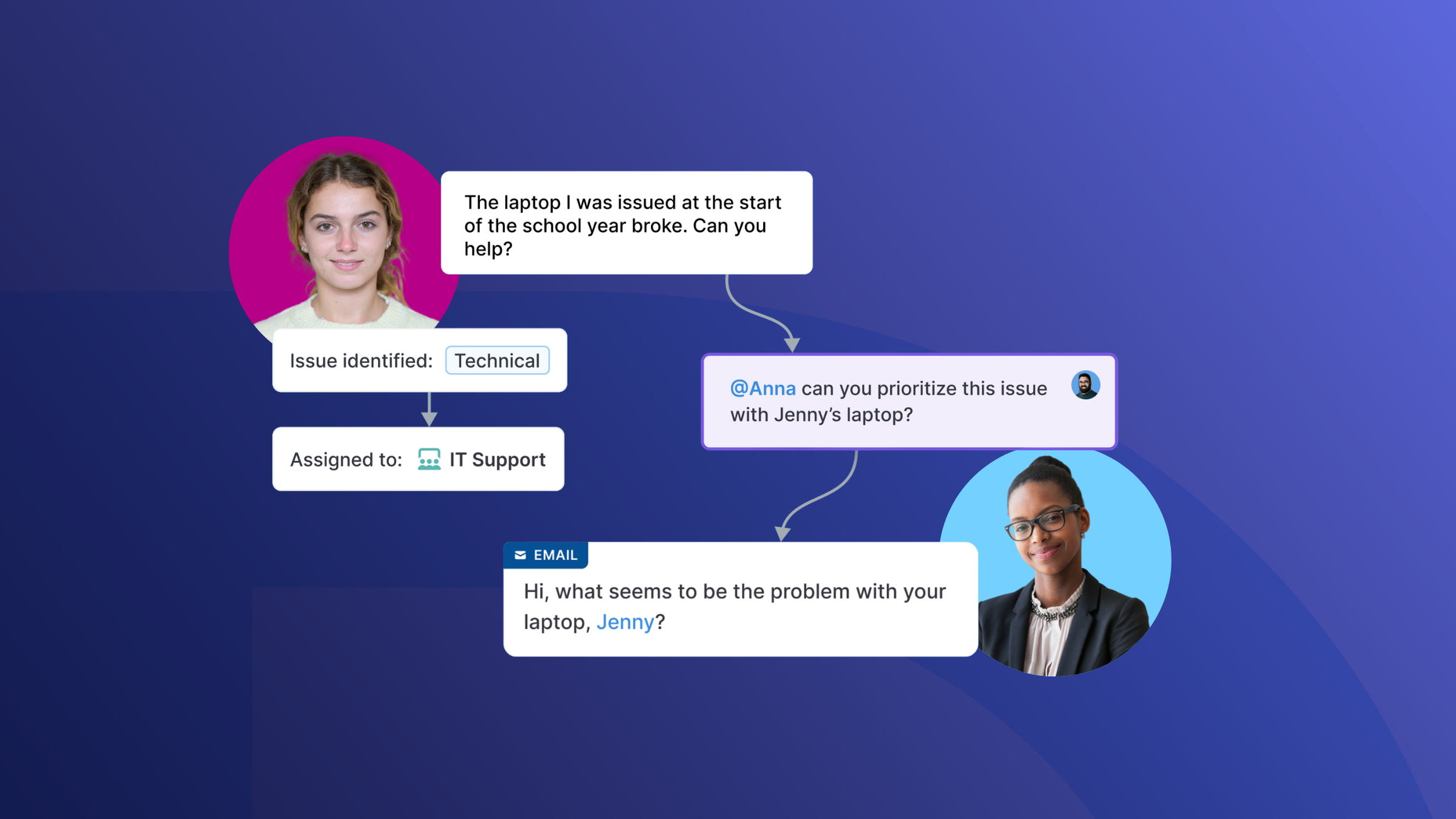
IT and internal support teams at universities and K-12 schools face some unique challenges: they must manage requests from students, teachers, administrative staff, and parents simultaneously, often with lean teams and constrained budgets. Basic help desk tools that are well-suited for corporate support teams don’t always provide the multi-department flexibility, intuitive interfaces, and data handling standards that schools need.
If you’re a support leader in the education sector and haven’t found a help desk that’s the right fit for your team, it’s time to take a look at Deskpro. Brown University, Texas A&M, Edmonton School District, and many other schools already run their IT support on our help desk platform. With cloud and private deployment options, fully customizable workflows, and tools to manage multi-department ticketing, Deskpro is a strong fit for support teams in education.
Below, we’re covering the biggest support challenges in the education sector, what to look for in a help desk solution, and why Deskpro is the best help desk software for schools.
IT support challenges for schools
IT support teams at schools often juggle a high volume of diverse requests across students, staff, parents, and sometimes even governors or board members. Each group has different needs and levels of technical literacy, meaning support team members often have to troubleshoot edge cases and tailor responses to different users. Add in the need to support multiple sites or an entire school district, and workflows get even more complicated.
The challenges schools face tend to cluster around a few persistent pain points:
- Managing requests from multiple user types. Students, staff, parents, and admin often submit requests through different channels with no unified view for IT. Or, in smaller schools, support requests may be managed through a single shared inbox, with no easy way to route requests to the right team member.
- Supporting IT across diverse physical spaces. Classrooms, labs, libraries, offices, and sports facilities each have distinct infrastructure needs.
- Onboarding devices and users at scale. Each academic year brings new cohorts, staff changes, and hardware deployments that compress into short windows. Schools are often unable to hire more IT team members for these seasonal spikes.
- Maintaining audit trails for compliance and reporting. Schools need clear records of who accessed what, and when.
- Navigating data privacy laws. In the US, FERPA governs the handling of student education records and sets strict rules around access and disclosure. In Europe, GDPR applies stringent requirements to any personal data held on students and staff, with significant consequences for non-compliance. As data privacy laws tighten around the world, schools are under pressure to meet state-wide, federal, or regional requirements.
- Keeping IT costs predictable. With fixed budgets, schools can’t easily absorb unplanned software costs or licensing changes.
What to look for in help desk software for schools
Choosing the right help desk for your school means looking beyond the table stakes capabilities and determining how the solution solves the challenges we covered above. The right platform should handle the full complexity of school operations while still being simple enough for non-technical staff to use confidently. While every school’s criteria will be slightly different, we’re covering some of the most valuable help desk features for schools below.
Help desk buyer checklist for schools:
- Multi-department ticketing (a single, structured workspace for IT, HR, facilities, and admin teams)
- Intuitive self-service portal for students and staff
- Automated ticket routing and SLA management
- Role-based access controls to protect sensitive data
- “Lite” agent role for administrative staff to access tickets and internal notes without needing full agent access
- Flexible deployment options (cloud or on-premise)
- Data handling and security standards aligned to regional requirements
- Reporting and analytics to track team performance
- Easy onboarding for non-technical staff
- Scalability across multiple schools or campuses
- Transparent, budget-friendly pricing
Schools need more than a basic ticketing system. They need a secure help desk that serves every department, aligns with their varied workflows, and keeps data under their control.
Why Deskpro is the best help desk software for schools
Many help desk tools are built to support a single department (IT or customer support) and assume a technically confident user base and level of budget flexibility that most schools don’t have. Deskpro takes a different approach. We designed our help desk platform with workflow flexibility, control, and long-term scalability in mind. It adapts to how your team actually works rather than forcing you to change how you operate. And with granular controls around roles, routing, and ticket management, you can adapt the platform to small schools, large universities, and multi-site districts.
Deskpro is also designed for the full range of people who use it, from IT professionals to non-technical staff on admin, HR, and facilities teams. With an interface that will feel familiar to anyone who has ever used an email inbox, Deskpro makes it easy for non-technical teams to track and respond to requests without needing training. Meanwhile, IT teams get the workflow depth and reporting they need to manage volume and meet SLAs.
For schools with strict requirements around where their data lives, Deskpro offers deployment choices: standard cloud, VPC, sovereign cloud, or fully on-premise. Our Deskpro Private deployment options give institutions full control over their help desk infrastructure and data residency.
Key Deskpro features for school IT teams
Multi-department ticketing across the whole school
Deskpro lets schools run IT, HR, facilities, and admin support from a single platform with separate queues, workflows, and SLAs per department. This is especially useful for large universities and school districts with centralized services. Keeping everyone in one platform eliminates the silos caused by disconnected tools and allows for collaboration on requests that require input from more than one team. It also eliminates the headaches of managing and paying for different help desk platforms for different teams.
Self-service portal for students and staff
Use Deskpro to build a help center that students and staff can use to self-serve information, reducing their need to raise a ticket with IT. You can brand your help center and control how content is organized using a simple drag and drop editor. You can also segment access to content by user group, allowing you to display different content depending on whether a student or staff member logs in. Students and staff can browse or search for the information they need, and if they don’t find what they’re looking for, they can still raise a ticket and track its status directly from the help center.
Automation that reduces IT workload
Deskpro’s automation tools allow lean support teams to eliminate manual tasks and work more efficiently (which is especially crucial at the start of the school year and during other seasonal spikes). You can use automations to intelligently route tickets, keep agents informed, set priorities, send canned responses, and more. You can also schedule multiple actions to run at the click of a button, automating a whole series of processes. For example, you could set an automated process where any time a ticket from a staff member comes in requesting a laptop replacement, you send an email response to acknowledge the issue, route the ticket to the IT team, and alert a manager that they need to approve the request.
Security and data control (with private deployment options)
School support teams regularly handle sensitive personal data, including student records and staff communications. You need to be confident that the data in your help desk stays under your school’s control, without getting in front of anyone who shouldn’t have access. Deskpro lets your teams manage who can see what, with role-based permissions that limit access to sensitive tickets and data at a granular level. If your school has strict requirements around data residency, you can also deploy our help desk in a private cloud, sovereign cloud, or fully on-premise. Whichever option fits your compliance obligations–whether that’s FERPA, GDPR, or other local data protection requirements–you stay in control of your data.
How schools use Deskpro across departments
Thanks to its flexibility, Deskpro can extend beyond IT to become the operational support backbone for your whole school. You can use Deskpro to manage a wide range of request types across departments, including:
- IT–device requests, software access, network issues, and onboarding
- Admin and operations–facilities maintenance, room bookings, policy queries
- HR and staff services–onboarding new employees, payroll queries, leave requests
- Student services–enrollment queries, academic support requests, parent communications
Wondering what this looks like in practice? Here’s a quick look at how several of our customers are using Deskpro:
Brown University replaced an inflexible help desk with Deskpro to make it easy for staff, students, parents, and guests to submit support requests. Their support staff has praised the interface, saying, “Deskpro [makes it] a lot easier to navigate, see what I need to work on, and help other agents with their tickets.”
Southern Oregon University uses Deskpro to provide IT support to their students and faculty. They rely heavily on the user-facing help center, which helps them deflect tickets for common queries while still giving visitors the option to chat with a live agent.
St. Wilfrid’s Catholic School uses Deskpro to provide tailored internal support, with different content displayed in their help center depending on whether staff or students log in. They have also improved their ticket tracking with Deskpro and use the reporting features to identify areas of improvement for their support team.
How to get started with Deskpro for your school
Whether you’re implementing a help desk for the first time or moving over from a legacy system, Deskpro can help you get started quickly, with the full planning and migration process often taking as little as 1-2 weeks.
Our implementation services include a dedicated implementation manager, custom configuration of workflows and integrations, technical setup support, and validation of your setup before you go live. We also offer training sessions to help your agents and admins get up and running with the platform quickly. And after you go live, you’ll continue to get ongoing support from the Deskpro team–we want to make sure you’re as successful as possible, with no disruption to the services you provide to your school.
Ready to find the best help desk software for your school?
If you’re running up against the limitations of a shared inbox or a legacy help desk, it’s time to make a change. The challenges of sticking with a poor-fit solution will only compound over time, creating more work for your support teams and leading to delays in resolutions for students, teachers, and admin.
Deskpro is built to handle the complexity of school IT and operations, with implementation services to make the migration and onboarding process simple. If you’re interested in seeing how you can tailor Deskpro to your school or university, book a demo.