
Centralized support
IT requests coming from email, chat, portals, Slack, and Microsoft Teams become trackable tickets in one workspace.
Elevate your IT ticketing system. Unify and automate requests, integrate communications, and eliminate bottlenecks with intelligent workflows that respond to employees and resolve incidents more efficiently.
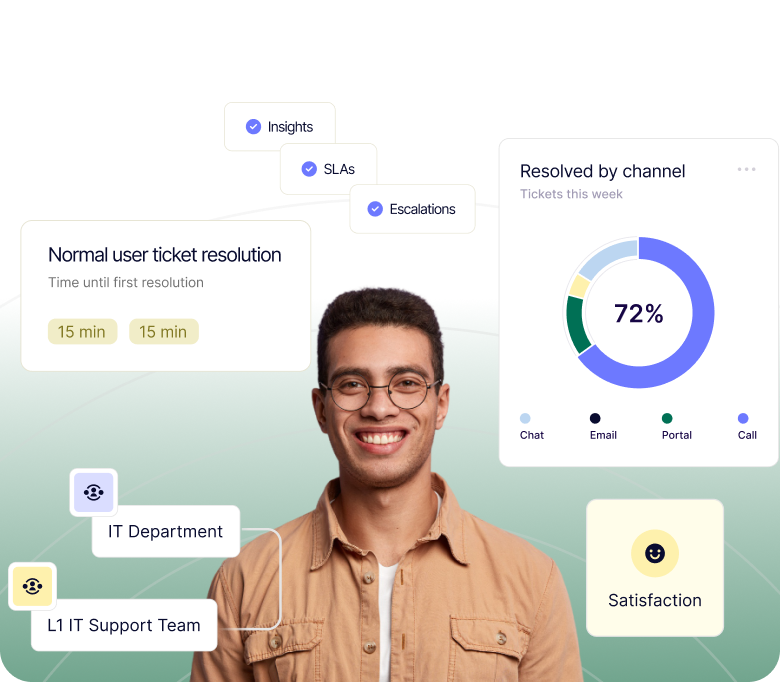
Deskpro is built to help IT support teams move beyond the chaos of the shared inbox. Bring requests from all your channels into a single workspace, with automated routing and workload distribution to speed up the triage process. Assign ticket owners, priority levels, SLA criteria, and more to ensure everything gets a response on time. Build unlimited workflows so your help desk works the way you do, and connect any AI model, including your own, to the platform: Deskpro lets you run your IT support on your terms.
IT requests coming from email, chat, portals, Slack, and Microsoft Teams become trackable tickets in one workspace.
Automate request routing, approvals, and workflows to accelerate resolution times and allow IT teams to focus on strategic priorities.
Create a help center with articles, smart search suggestions, and ticket status tracking so employees can help themselves.
Real-time dashboards, custom reporting, and trend analysis let you track your IT team’s performance and answer your leadership team’s biggest questions.
Configure your SLA policies along with automated reminders and escalation for breaching tickets. Meet your compliance requirements and ensure no IT requests slip through the cracks.
Encryption, audit logs, SSO, and role-based permissions protect sensitive data and ensure compliance.
Case Study
Airbus OneWeb launched its global micro-satellite project to provide affordable internet across the globe and needed a help desk to scale its internal support.
Case Study
The Support team moved to Deskpro to utilize the features available to streamline its IT support for its employees.
Case Study
Aurora Mental Health & Recovery is a large, not‑for‑profit community mental health organization that provides a wide range of mental health and addiction services to anyone and everyone in need.
An internal ticketing system is a help desk tool your IT team uses to log, prioritize, assign, and track employee requests (password resets, hardware failures, access requests) so nothing gets lost in inboxes or chat threads. In Deskpro, requests that come in through email, Slack, Microsoft Teams, or your self-service portal all land as tickets in one workspace, where your team can manage them with automated routing, approval workflows, and service level agreement (SLA) policies.
Most IT ticketing systems are built for customer-facing support and retrofitted for internal IT. Deskpro is built for both, with SLA management, multi-channel intake (email, chat, Slack, Teams, web portal), and automation workflows designed specifically for IT service desk environments. For organizations in regulated industries, Deskpro also offers private deployment options including:
Yes. Deskpro Private gives IT teams full control over where their data lives, on your own infrastructure, in a dedicated VPC, or within a sovereign cloud environment. This is particularly relevant for IT teams in:
You get the full Deskpro feature set, including AI, automation, and omnichannel support, without any dependency on public cloud infrastructure.
Deskpro's AI capabilities are designed for security-first environments. Unlike platforms that route your ticket data through third-party public AI models, Deskpro gives you control over which AI models power your workflows, including the ability to use private or self-hosted LLMs. AI is used to:
This is all done within your defined data boundary. Explore >Deskpro's AI features >to see how it fits your IT environment
Deskpro's IT service desk ticketing system includes:
It's designed to handle everything from simple password resets to complex multi-team incident management, without requiring heavy configuration or a dedicated admin. See the full feature set or explore omnichannel support capabilities.
Deskpro's automation engine handles:
Common IT automations include:
Organizations typically see significant reductions in first-contact resolution time and inbound ticket volume within weeks of deployment. Learn more about Deskpro's workflow automation features.
For most mid-market IT teams, Deskpro is operational within weeks, not months. Cloud deployments can be configured and launched quickly, with guided implementation and professional services available for more complex environments.
Private deployments (on-premises or VPC) have additional infrastructure setup time depending on your environment, but Deskpro's implementation team works alongside your IT team throughout. If you're migrating from an existing IT ticket system, such as Jira Service Management, data migration support is available. Contact Deskpro's team to get a timeline scoped to your setup.
Deskpro integrates natively with Microsoft Teams, Slack, Jira, Azure AD, Okta, Salesforce, and dozens of other platforms commonly used in enterprise IT environments. Single sign-on (SSO) support, REST API access, and webhook functionality allow deeper integrations with internal systems and custom tooling.
For IT teams running complex stacks, Deskpro is built to fit your ecosystem, not replace it. Browse all available apps and integrations.
Deskpro includes configurable SLA policies that automatically track response and resolution deadlines, escalate breaching tickets, and generate compliance reports.
IT leaders get real-time dashboards showing team workload, ticket volume trends, first-contact resolution rates, and SLA performance, all without manual reporting. Custom report builders allow you to slice data by department, agent, ticket type, or time period. This gives IT directors the visibility they need to justify headcount, identify bottlenecks, and report upward. See Deskpro's reporting and analytics features.
Deskpro centralizes IT requests into one intuitive platform with automation, collaboration, and analytics. Enabling faster resolutions, fewer errors, and greater visibility into team performance.
Absolutely. Deskpro integrates with hundreds of applications, including Active Directory, Slack, Microsoft Teams, Jira, and more. Plus full REST API and Zapier support for custom connections.
Yes. Deskpro offers secure cloud hosting on AWS or full on-premise deployment. With permission controls, audit logs, and encryption, you maintain complete control of your data and compliance posture.
Deskpro automates repetitive processes like approvals, escalations, and SLA tracking, allowing IT teams to focus on high-impact projects instead of manual ticket management.
Yes, Deskpro works as an internal service desk to support employees or an external service desk to support customers. Serve employees, vendors, clients, or customers all from one platform with customizable permissions and branding.
With customizable dashboards, reports, and SLA tracking, Deskpro provides real-time visibility into ticket volumes, response times, and team performance to inform smarter strategic decisions.