
IT Help Desk
Lost passwords, broken laptops, and software requests. All submitted and tracked without leaving Teams.
New Guide The Help Desk AI Maturity Journey: A Support Team’s Guide Download Now
Deskpro brings your help desk into Microsoft Teams, letting staff raise, manage, and track support issues without breaking their workflow.
Your team already uses Microsoft Teams to communicate, plan, and collaborate, so why make them leave it to get help?
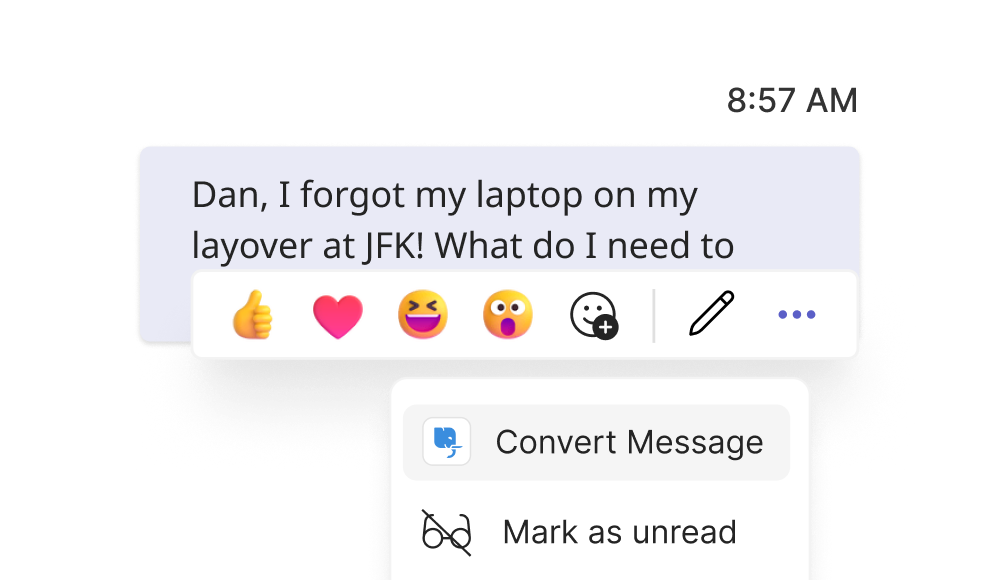
Turn staff messages into tickets. No more juggling between tools, no more overlooked requests.
Built to support every team, Deskpro makes collaboration simple across your entire organization.

Lost passwords, broken laptops, and software requests. All submitted and tracked without leaving Teams.

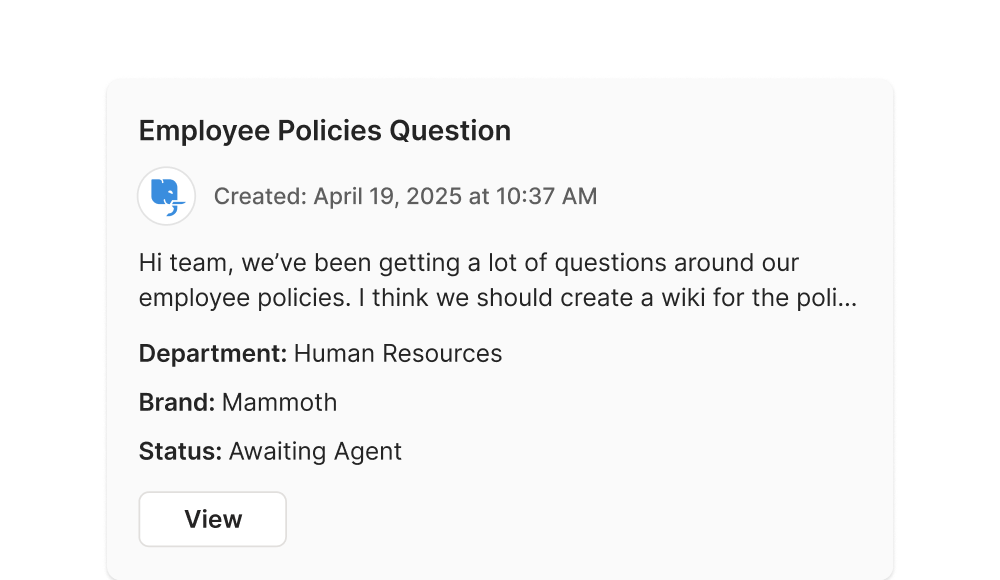
Onboarding questions, policy clarifications, or benefits issues can be raised from anywhere.
From “the projector isn’t working” to “we’re out of coffee,” Teams is the easiest place to report it.
Bring structure to support with everything you need to create, manage, and resolve tickets.
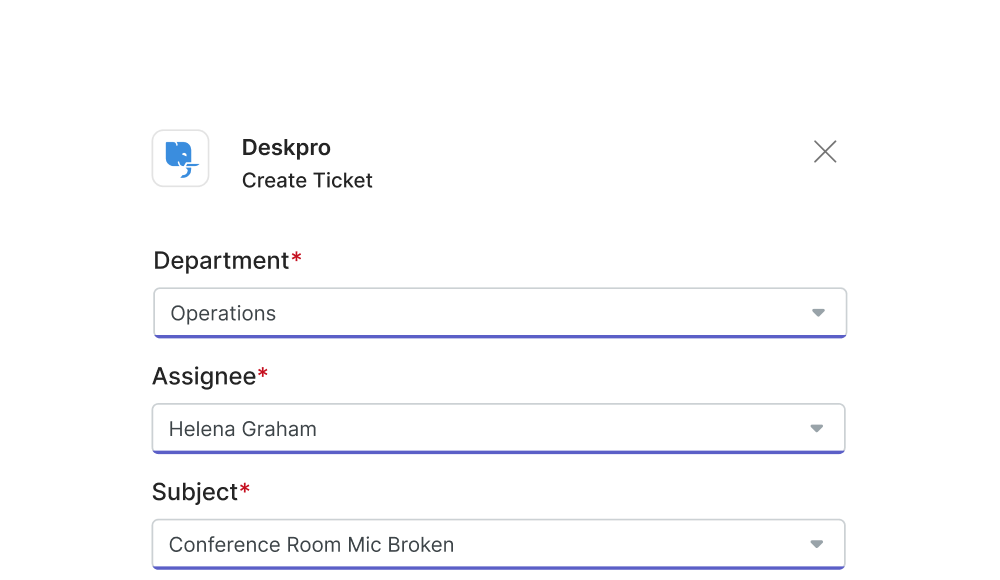
Create a ticket from any chat or channel. Just click, describe the issue, and submit.
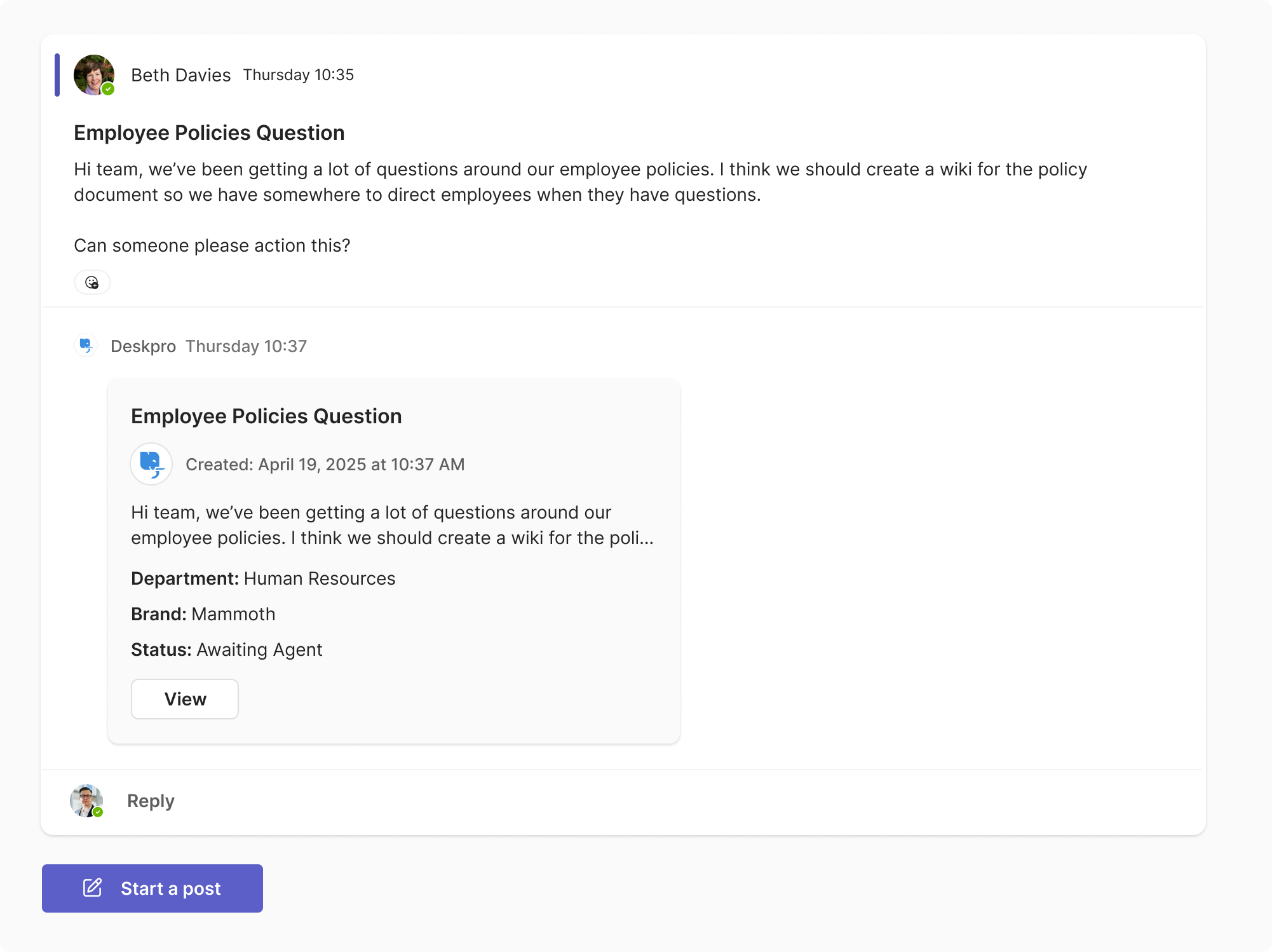
Agents can view, respond to, and resolve tickets created inside Teams, reducing delays and improving first-response times.
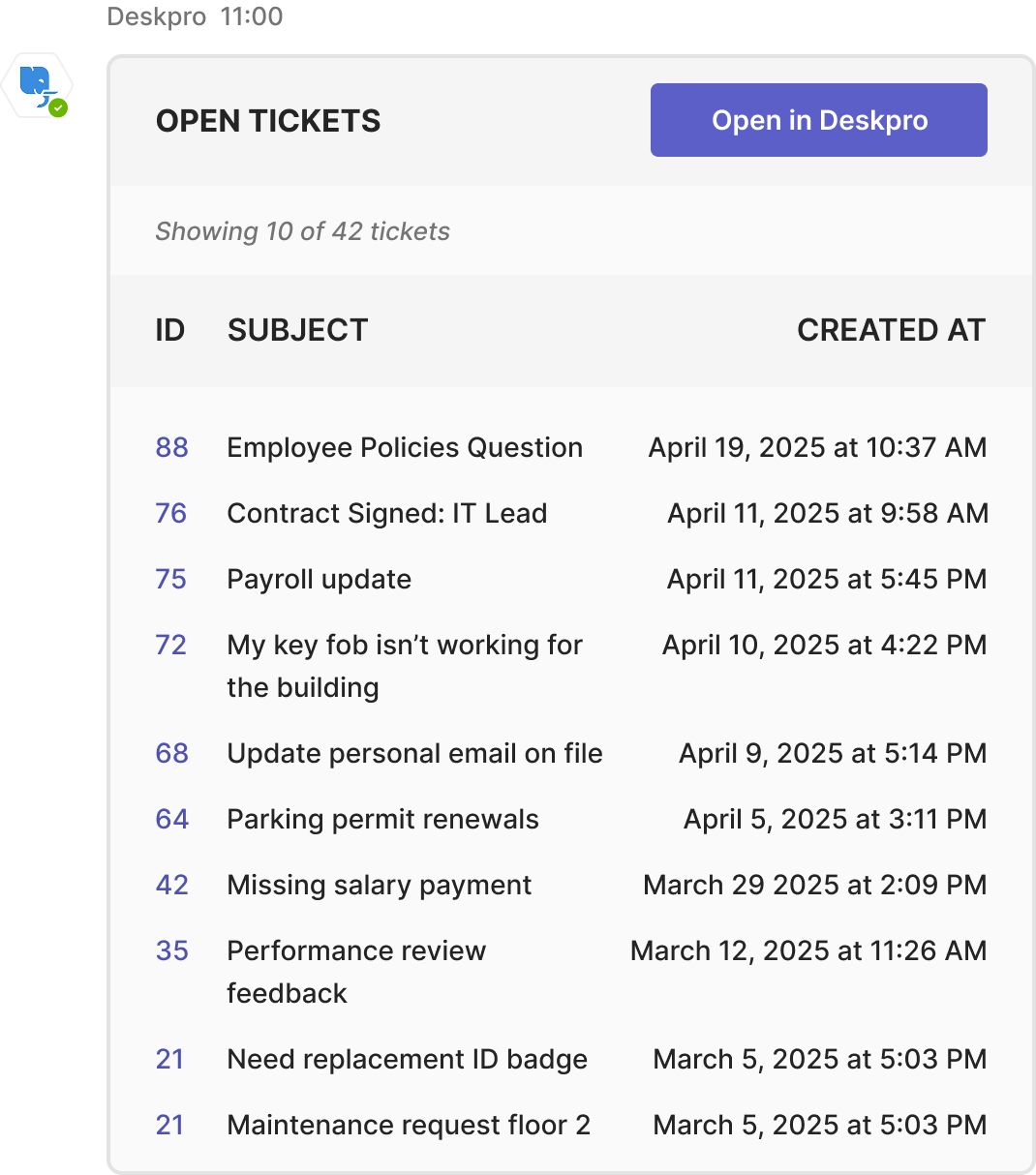
Behind the scenes, Deskpro handles routing, SLAs, and workflows; keeping your support team organized and efficient.
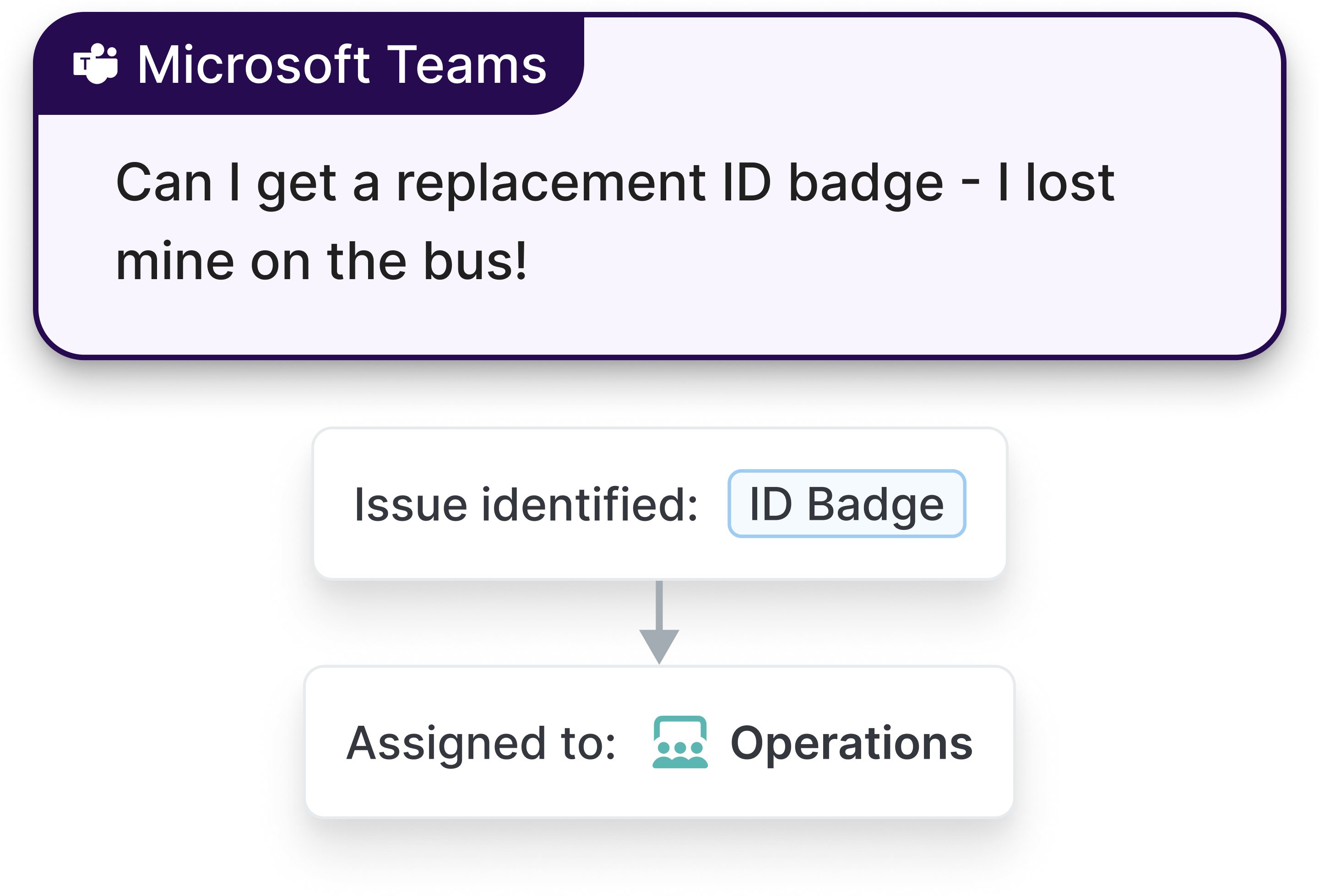
Powerful tools and seamless integrations designed to streamline your support operations and keep your team focused on what matters most.
Available in chat and channel views, accessible via the message extension or shortcuts.
Fill out a structured form with the necessary details. One click and it’s logged.
View ticket status, reply to requests, or add to the thread.
See how Deskpro and Microsoft Teams work together to streamline internal support.
Yes. Deskpro's Microsoft Teams ticketing integration lets staff raise and track support requests without leaving Teams. A ticket can be created directly from any chat or channel message, routed to the right team in Deskpro, and tracked to resolution. Agents manage everything from the full help desk interface, while staff interact entirely within the tools they already use every day.
Any team that handles internal requests can use Deskpro through Microsoft Teams. IT teams use it to manage hardware issues, software requests, and access problems submitted straight from Teams channels. HR and people operations teams use it to field onboarding questions, policy queries, and benefits requests. Facilities and admin teams can receive and track operational requests in the same way. Each department gets a structured, trackable workflow without requiring staff to learn a separate tool.
Staff install the Deskpro app within Microsoft Teams, available from chat and channel views via the message extension or shortcuts. From there, any message can be turned into a structured support ticket with a single click. The submitter fills out a short form, the ticket is logged in Deskpro, and status updates flow back into Teams automatically. There is no need to switch tools, log into a separate portal, or follow up manually. The full help desk workflow runs in the background while staff stay in Teams throughout.
Yes. The Microsoft Teams integration is one channel within Deskpro's broader omnichannel support platform. Agents work from the full Deskpro interface regardless of where a ticket originates. Requests submitted via Teams sit alongside those from email, chat, forms, voice, and other channels in one unified workspace. Organizations that support both internal staff through Teams and external customers through other channels can manage everything from a single platform without any duplication of effort.
Yes. Deskpro supports deployment options that meet strict security and compliance requirements. For organizations in regulated industries, Deskpro Private allows the platform to run entirely within your own infrastructure, including on-premise or within a dedicated VPC, so no support data leaves your controlled environment. The Teams integration works within whichever deployment model your organization requires, meaning you do not have to choose between staff convenience and data security.
Most tools that connect to Microsoft Teams offer basic notification forwarding or a simple bot. Deskpro delivers a full Microsoft Teams help desk experience, with structured ticket creation, routing, status tracking, and resolution all accessible from within Teams itself. Beyond the integration, Deskpro brings capabilities that most Teams-connected tools lack: AI-assisted triage and suggested responses, flexible deployment for organizations with strict data requirements, and a single platform that serves IT, HR, and customer support teams simultaneously. It is built for organizations that need more than a lightweight connector.