

Converse with customers
Keep support friendly by engaging with and supporting customers directly on their favorite social platforms.
Unify your help desk ticketing system and social media inquiries with Deskpro's WhatsApp ticketing integration.
Respond to messages sent to your WhatsApp Business account from your centralized help desk platform.
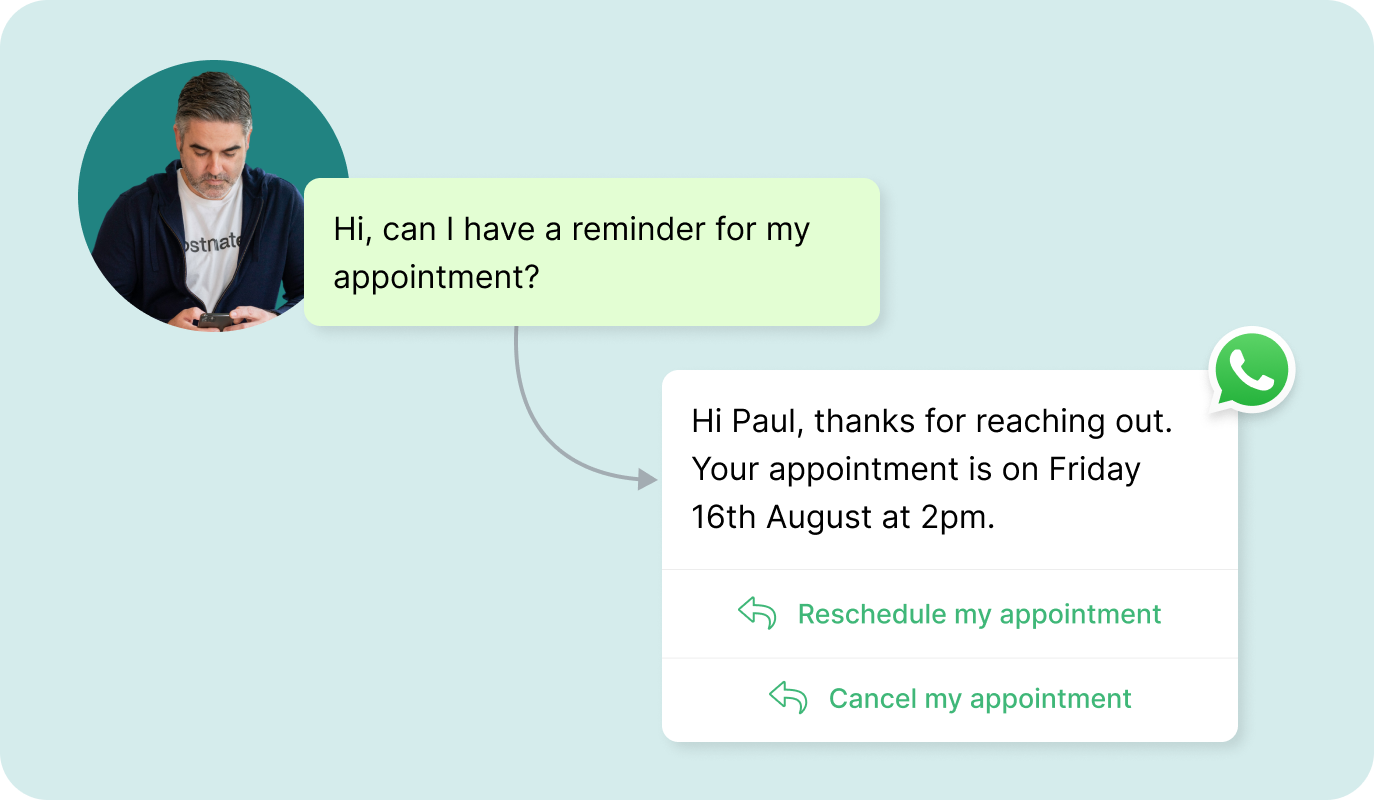
Keep support friendly by engaging with and supporting customers directly on their favorite social platforms.
Every message is centralized in the help desk so your agents can stay on top of every issue.
WhatsApp messages to your Business Account are converted to help desk tickets for seamless support.
Your automations apply to WhatsApp tickets so you can ensure the right message gets in front of the right team.
Centralized ticket software
When a customer sends a message, it automatically converts to a query in the help desk.
Agent responses are sent directly to customers via WhatsApp. Social media support has never been this seamless, with full WhatsApp customer service platform functionality at your fingertips.
Help Desk automations intelligently route tickets to the right people so agents can support customers on WhatsApp.
Your business account can link to your help desk to provide an instant ticketing solution for your WhatsApp communication.
Integrating with WhatsApp provides end-users with a way to communicate with support from wherever.
WhatsApp support
Every incoming WhatsApp message to your Business account creates a ticket in the help desk.
Your support agents can easily monitor and respond to WhatsApp inquiries without leaving Deskpro.
Custom Message Templates
Initiate messages for various purposes with custom WhatsApp Templates which can be personalized through variables.
Templates let you send necessary messages and follow up for more attentive customer interactions.
COMMUNICATE WITH WHATSAPP INTEGRATION
Use Whatsapp for customer support to enable straightforward communication between your brand and customers.
Deskpro's WhatsApp Business integration makes delivering exceptional customer experiences easy. Just connect your WhatsApp account and start resolving support issues.
For information about WhatsApp rates you can see our pricing page.
When a customer sends a message to your WhatsApp Business account, Deskpro automatically converts it into a help desk ticket. Your agents respond from inside Deskpro and the reply goes back to the customer via WhatsApp.
Every conversation gets a ticket number, a timestamp, full message history, and whatever automations and SLAs you have set up for that queue. It works the same way as any other channel in Deskpro, which means your WhatsApp support runs through the same workflows, routing rules, and reporting as your email and chat queues. See how it fits inside Deskpro's omnichannel customer support platform for a full picture of how channels connect.
You need a WhatsApp Business account. Once that is in place, connecting it to Deskpro takes a few steps inside your admin settings, no developer work required. The integration uses the WhatsApp Business API, so the same account you use for customer communications links directly to your help desk. Inbound messages start converting to tickets as soon as the connection is live. If you are already running other channels through Deskpro, WhatsApp slots into the same inbox alongside them.
For setup questions specific to your environment, the WhatsApp pricing page covers the rate structure, and your Deskpro account team can walk through configuration during onboarding.
Yes. WhatsApp ticketing is available on Deskpro Private, which supports on-premise, sovereign cloud, private cloud, and virtual private cloud deployment. For organizations in regulated industries, that means WhatsApp customer conversations are processed inside your own environment rather than through shared cloud infrastructure.
WhatsApp in Deskpro is one channel in a unified inbox, not a separate tool. A customer who contacts you via WhatsApp on Monday and sends an email on Tuesday lands in the same ticket history. Agents see the full conversation regardless of which channel it came through. The same SLAs, automations, and routing rules that apply to email and live chat software apply to WhatsApp too. For B2B customer service teams managing accounts across multiple communication channels, this continuity matters more than the channel itself. Customers do not have to start over every time they switch how they reach out, and agents do not have to go looking for context in a separate inbox.
Explore the full omnichannel helpdesk to see how all channels connect.
Deskpro supports both. Inbound messages from customers automatically create tickets in the help desk. For outbound, Deskpro supports custom WhatsApp Message Templates, which let your team initiate conversations or send follow-ups to customers who have previously contacted you. Templates can be personalized using variables, so you are not sending the same generic message to every customer. This is useful for proactive support, such as notifying a customer that their issue has been resolved, following up on an open ticket, or sending a structured update. Outbound messaging through templates follows WhatsApp Business API rules, which means it works within the channel's own guidelines on initiating conversations.
WhatsApp tickets in Deskpro go through the same automation engine as every other channel. You can set up trigger-based routing so that messages are automatically assigned to the right team or agent based on keywords, time of day, customer profile, or any other criteria you define. SLAs apply, so response time targets are tracked the same way they are on email tickets. If a WhatsApp conversation escalates and needs to involve another team, the standard help desk software features for assignment, notes, and collaboration all work on WhatsApp tickets. For IT and support operations teams who want full visibility across every channel in one place, see how Deskpro handles IT help desk software and customer support analytics alongside WhatsApp.
The strongest fit is customer-facing support teams in industries where WhatsApp is a primary communication channel. That includes retail, financial services, healthcare, logistics, and any business with a significant international customer base where WhatsApp penetration is high. B2B customer service teams also use it when their accounts prefer WhatsApp over email for day-to-day queries. For help desk deployments running support across multiple regions, WhatsApp alongside Microsoft Teams ticketing and Slack ticketing covers the full range of channels that different customer and employee segments actually use. The case for WhatsApp is not that it replaces email. It is that customers who prefer it will not switch channels just because your help desk does not support it.