
Learn how custom ticketing automation transforms support and IT operations. Explore key capabilities, benefits, and how Deskpro helps teams work smarter.

We’re willing to bet you didn’t enter the support field because you love answering repetitive questions and manually routing requests, and your team members probably didn’t either. Yet on most customer support and IT service desk teams, this is the work that takes up the most time. Not only is that frustrating for the team members handling support requests, but it often leads to slow response times and creates negative employee and customer experiences.
It doesn’t have to be that way. Ticketing automation is one of the most practical, highest-return changes a support or IT team can make, and modern help desks make it possible for teams of any size. This guide walks through what ticketing automation is, the core capabilities to look for, the benefits, use cases, how to evaluate a platform, and where Deskpro fits in.
What is ticketing automation?
Ticketing automation is a technology capability using rules, triggers, and logic to handle repetitive or predictable support and IT tasks without a person doing them manually. Essentially, when a specific condition is met in your help desk, the system takes an action that you’ve instructed it to, such as assigning a ticket, sending a reply, changing a status, or alerting a manager.
At the most basic level, you can automate a single action based on a single condition (e.g., auto-assigning every ticket from a billing address to the finance team’s queue). But you can get a lot more advanced than that, using custom criteria, stringing together multiple steps, and taking actions across integrated systems.
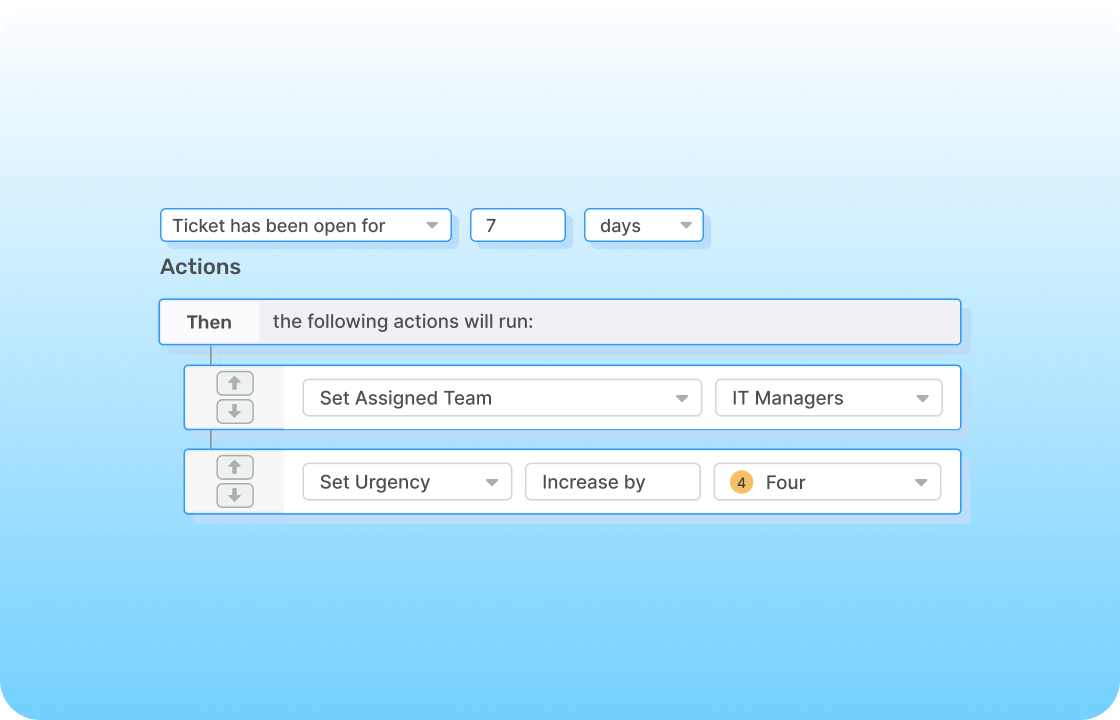
In a modern help desk, the tasks you can automate include ticket routing and assignment, priority and service level agreement (SLA) setting, canned or templated responses, escalation triggers, status updates and follow-ups, and notifications and approvals. The point isn't to replace agents. It's to reduce the repetitive, administrative activities that are consuming a lot of their time so they can focus on the complex conversations that most need their judgment and problem-solving skills.
Ticketing automation capabilities to look for
When looking for a help desk with automation capabilities, start by thinking about the repetitive activities your team is spending the most time on that have the lowest lasting impact. These activities may be necessary (you can’t just ignore that password reset request), but they’re not the best use of your people’s time, and they’re great candidates for automation. Here are some of the automations that take on those tasks:
Trigger-based workflow rules
Trigger-based rules use “if this, then that” logic to fire automatically when a defined condition is met: a new ticket arrives, a reply is sent, a field changes, or an SLA threshold is crossed. Instead of an agent reading every incoming ticket to decide what happens next, the system makes that decision instantly and consistently, potentially hundreds or thousands of times a day. Look for the ability to combine multiple conditions in a single rule, since real workflows rarely hinge on just one factor.
Intelligent ticket routing
Routing automation sends each ticket to the right agent, team, or queue based on criteria like keyword, sender, language, department, or priority. Good routing is the difference between a ticket getting to the right specialist in seconds and sitting in a general inbox until someone notices it. Because first-response time depends heavily on how quickly a ticket reaches the right person, routing is often the single highest-impact automation you can turn on. It also prevents the bottleneck of one senior agent manually triaging the whole queue.
SLA automation and escalation
SLA automation enforces your response and resolution targets by triggering alerts, escalations, or reassignments before your team misses a deadline. A ticket approaching its first-response deadline can automatically jump in priority, trigger a notification to a team lead, or move to an on-call queue. These automated triggers can improve SLA compliance and ticket resolution time considerably: for example, Dominican University went from an average ticket resolution time of 70 days to 3 days by setting up escalation rules in Deskpro.
Canned responses and auto-replies
Templated responses and auto-replies cut handle time for the queries you answer over and over. Agents can insert a static canned response (a saved block of text) with one click, with automations built in to populate case-specific information, like a customer name or tracking number. A dynamic auto-reply goes even further, pulling in ticket or customer data and sending the response without a human agent needing to take action. This can be used to send an instant acknowledgement that your team has received a ticket and set expectations for the response time, reducing the likelihood of a customer or employee sending a “Did you get this?” follow-up.
Multi-step and conditional workflows
This is where the best help desks stand out. A multi-step workflow can branch based on outcomes, run a sequence of actions, and react to what happened at each stage. A request for software access might check the requester's department, route to the right approver, wait for sign-off, provision access, and notify the user, all without a human agent touching it. Building that kind of process logic shouldn't require a developer. Platforms like Deskpro let admins assemble multi-step automation visually, which is what makes advanced workflows realistic for teams without engineering support.
Key benefits of ticketing automation
The most obvious benefit of ticketing automation is the time savings (and eliminating maddeningly repetitive work), but the outcomes go much deeper than that.
Faster ticket resolution
Most delays in a support queue happen before any real work starts, in the time between a ticket arriving and reaching the right person. Automation prevents that delay by assigning tickets the moment they land and sending an immediate acknowledgement so the customer or employee knows they're in the queue. Once an agent starts working on a ticket, they can use snippets with auto-filled fields to address common issues, further reducing the time it takes to resolve the issue.
Reduced agent workload and burnout
Agent burnout is a real cost. Surveys have found that around 60% of IT professionals (and a comparable percentage of customer support agents) have experienced work-related stress or burnout, with heavy, repetitive workloads a leading cause. Level 1 agents in particular can spend a large share of their day on routine FAQs and basic requests. When automation takes over manual tagging, copy-paste replies, and status chasing, agents get that time back for work that uses their critical thinking skills. For many, this is more satisfying work that improves the agent experience and retention.
Consistent customer and employee experience
Automation runs the same way every time, regardless of who’s on shift or how busy the queue is. Customers and employees get the same experience whether they reach out during a quiet stretch or a volume spike. That consistency reduces human error, keeps SLAs intact under pressure, and removes the variability that comes from each agent handling tickets their own way.
Greater visibility and reporting accuracy
Manual processes can produce messy data, especially when team members don’t follow consistent rules for tagging tickets, changing statuses, and filling out fields. Automated workflows tag tickets correctly, update statuses in real time, and capture the same fields every time, which means your reporting reflects what's actually happening rather than what someone remembered to log. Cleaner data makes it easier to spot trends, justify headcount, and decide what to automate next.
Ticketing automation use cases by team
The automated workflows that are best for your team will depend on the types of request you handle, your ticket volume, and the users you serve. Here are several examples of automation use cases across the two teams most likely to use a help desk: customer support and IT.
Customer support
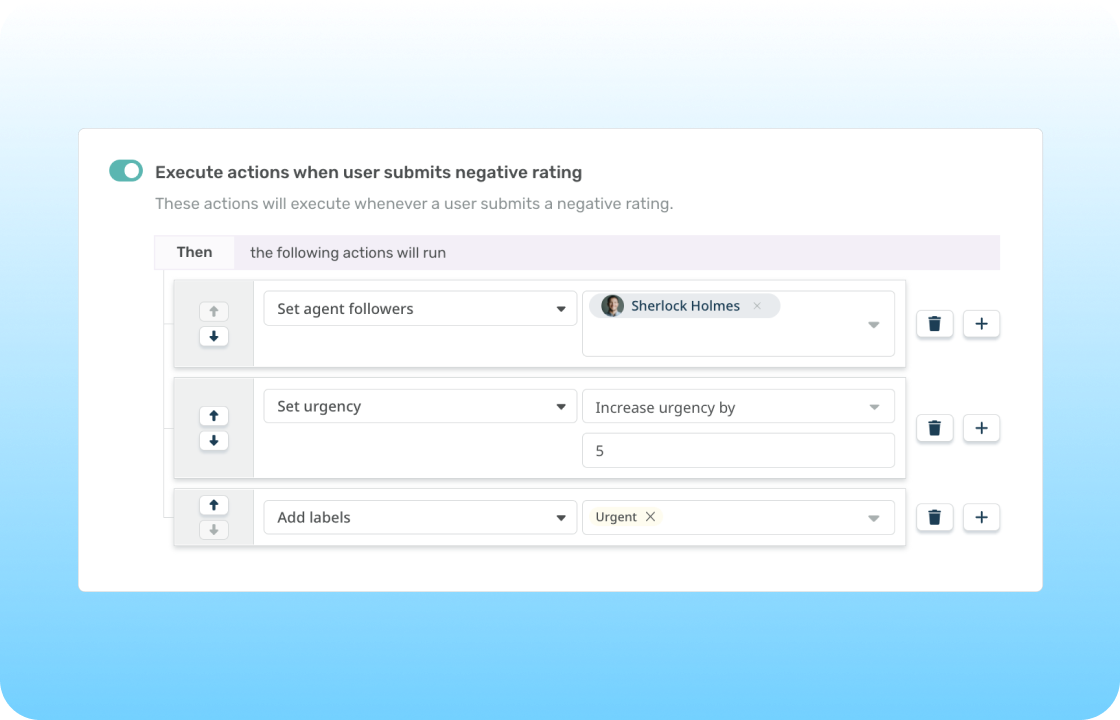
Support teams typically start with the highest-volume, most predictable parts of the queue. Common automations include auto-routing inbound requests to the correct department or agent, sending an instant acknowledgement reply with an expected response time, and escalating any ticket that breaches its first-response SLA. Teams also auto-close resolved tickets after a set period of customer inactivity and trigger a customer satisfaction (CSAT) survey the moment a ticket closes. Each of these removes a small manual step that, multiplied across thousands of tickets, adds up to hours of recovered agent time.
Want to estimate how much your team could save using Deskpro’s AI and automations? Try our ROI calculator.
IT service desk
IT teams tend to automate around process and risk. A hardware request can route straight to the asset management queue, while a P1 incident automatically escalates to the on-call team without waiting for someone to notice. SLA tiers can be set by user department or ticket category, so a director's outage and a routine access request get treated appropriately. Project management tools like Jira and Shortcut can integrate with the help desk so that an update in the project management system triggers a ticket status change. These workflows are common across IT service desk and B2B support environments, where the same account often spans both.
Ticketing automation vs. basic help desk rules
It's worth being clear about the difference between a simple rule and real ticketing automation. A basic rule handles one condition and one action, i.e., “if the subject contains ‘invoice,’ assign to finance.” Full ticketing automation adds multi-step logic, branching conditions, and triggers that react across different objects, like a customer record, a linked incident, or an SLA clock.
Most teams start with basic rules and eventually hit a ceiling as their processes mature. A few symptoms tend to signal you've outgrown your current setup:
- Agents are still manually triaging a large share of tickets.
- SLA breaches happen because escalations don't fire in time.
- Workflows differ from one agent to the next, so service feels inconsistent.
- Your reporting needs manual cleanup before it means anything.
If those sound familiar, advanced automation is the natural next step. And if you don’t already have a ticketing system that offers advanced automation, it’s time to find one.
How to choose the right ticketing automation platform
Evaluate ticketing systems or help desk platforms against both your current pain points and where you expect to be in 3-5 years. Here are a few questions you and your buying committee should ask as you build your shortlist:
- Does the platform support both trigger-based rules and multi-step workflows, or does it cap out at single-action automations?
- Can non-technical admins build and edit automations without filing a developer ticket every time a process changes?
- How deep is the SLA automation and escalation capability, and can it handle tiered targets?
- Does one platform cover both IT service desk and customer support, or will you end up stitching tools together?
- Is deployment flexible across cloud, on-premise, and private cloud to fit your security requirements?
- Is pricing transparent and predictable as your team grows?
- What does the migration path look like from your existing tool, including your historical tickets and current rules?
Why Deskpro is a strong choice for ticketing automation
Whether you’re just getting started with ticketing automation or moving to a new help desk after hitting limitations with your current one, Deskpro is a strong option. We’ve built our flexible platform to align with the ways your teams work, rather than forcing you into workarounds. You can configure rule-based and AI automations based on any fields or custom criteria, with multi-step workflows that support conditional logic and branching. And with no limit on the number of workflows you can build, you don’t have to worry about hitting a ceiling.
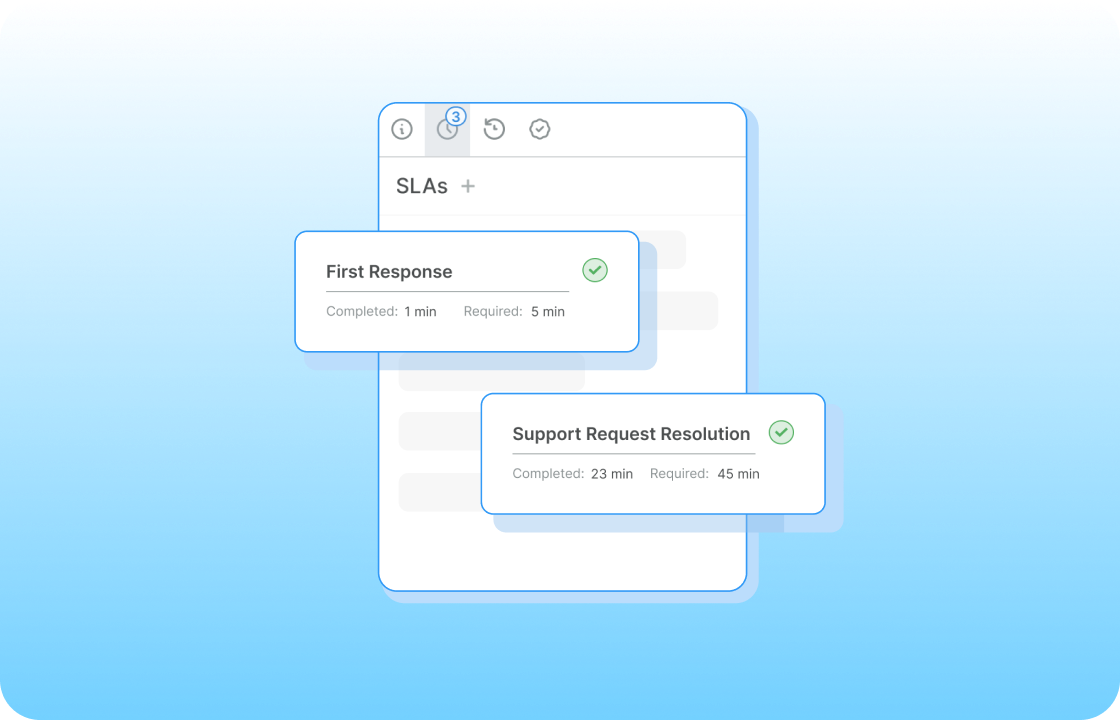
SLA automation is built into the platform, with flexible escalation rules you can set by department, category, customer, or other criteria. Intelligent routing works across all connected support channels (email, chat, voice, social, customer portal, etc.), so tickets reach the right place regardless of where they came from. Because Deskpro handles both the IT service desk and customer support in one platform, B2B teams that span both don't have to manage two systems or two sets of automations.
You can deploy Deskpro in the cloud, on-premise, or in other private environments, and power our AI features with the model of your choice. For teams with strict compliance or data requirements, this can be the key to unlocking the benefits of AI-powered automation for the first time.
Taken altogether, Deskpro provides ticketing automation that supports your team where you are now and grows with you, whether you’re a five-person support team or an enterprise service desk.
Getting started with ticketing automation
Regardless of the help desk platform you choose, keep in mind that you don’t need to automate everything at once. Go with a focused, measured rollout, starting with one or two areas where you can get some easy wins and building out from there.
Identify your highest-volume, most repetitive tickets
Audit your queue and pull the top five ticket types that currently demand manual triage or a near-identical response. These high-frequency, low-variation tickets are your best first candidates for automated triage, canned snippets, and auto-replies because they deliver visible time savings quickly and build confidence in the approach.
Map the workflow before you build
Write out the process you want in plain language before you touch a single rule. Mapping it on paper helps you find the edge cases, approval steps, and exceptions that are easy to miss when you start configuring. It also forces your team to agree on what the process should be, which often turns out to be the harder part than the configuration itself.
Test, measure, and iterate
Run each new automation in a test environment or against a small subset of tickets before going live. Set baseline metrics first, such as average resolution time, SLA compliance rate, and agent handle time, so you can prove the change worked. Then refine. Automation isn't a set-it-and-forget-it project; the teams that get the most from it treat it as something they tune as their queue evolves.
Start automating your support workflows with Deskpro
Ticketing automation doesn’t have to be complex or reserved for the largest teams, and the return is hard to ignore: faster resolution times, less manual work for agents, greater SLA attainment, and consistent service.
The best way to understand what automation can do for your team is to build a workflow yourself. Start a free trial of Deskpro and test out building automations firsthand, or book a demo for a guided walkthrough if your team wants help mapping workflows to your existing processes.