WEBINAR October 8th 10:30 am EDT / 3:30 pm BST • What support agents told us they need to do their best work Register now

SaaS Help Desk

Cloud-based help desk software, fully managed by Deskpro

Deskpro Cloud lets you run your help desk on Deskpro-managed infrastructure, so your team gets the full platform without owning servers, patching, or uptime.

Support teams that run on Deskpro Cloud

25+

years developing help desk software

98%

average monthly CSAT

4.2/5

average G2 rating

34

AWS regions available for hosting

Why teams choose a cloud-based help desk

Deskpro gives you the flexibility to choose the deployment model that works best for your business, and cloud-based deployment is our most popular option. This means Deskpro manages hosting, uptime, patching, and upgrades while your team focuses on supporting your customers and employees instead of managing infrastructure.

The full Deskpro platform, delivered as a managed service

Omnichannel platform

Connect email, chat, voice, web forms, and messaging channels, then add automations, Service Level Agreements (SLAs), custom reporting, and AI productivity tools.

Managed by Deskpro

Deskpro handles hosting, uptime monitoring, security patching, and version upgrades. New features reach your help desk with no maintenance windows for your team to schedule.

Elastic by default

Deskpro Cloud scales with your ticket volume and team size. Add agents for a seasonal spike or bring a new department online without sizing a single server.

How Deskpro Cloud is hosted

Managed infrastructure

Your help desk runs on infrastructure that Deskpro provisions and maintains.

Data center regions

With AWS data center hosting in 31 regions across the US, UK, and EU, Deskpro lets you choose the location that meets your data residency needs.

Uptime and reliability

Deskpro Cloud comes with a 99.99% SLA-backed uptime. Deskpro's team monitors your environment and handles incident response, so your admins aren't on call for the help desk.

AI help desk features in a managed cloud

Deskpro AI lets you route tickets based on sentiment and intent, set up a chatbot, and generate knowledge base articles. You can also increase agent productivity with AI features such as suggested replies, tone refinement, and ticket summarization. Use Deskpro’s default AI provider or connect your organization’s preferred AI model.

Security and compliance in Deskpro Cloud

Security in Deskpro Cloud is a shared responsibility. Deskpro secures the infrastructure your help desk runs on, and your team controls who gets access and how data is governed. Our security and engineering teams work continuously to identify and mitigate risks, and we undergo regular third-party penetration testing and annual independent audits for compliance certifications.

iso-27001-605x605

ISO 27001

SOC 2 Type II

SOC 2 Type II

Security Badges

PCI DSS-Compliant

gdpr-compliant

GDPR-Ready

hipaa-97x97

HIPAA-Ready

Cyber Essentials Plus

Cyber Essentials Plus

Channels, automation, and integrations: Configure the way you work

stop-switching-channels-start-continuing-conversations-1812x1200
Ticketing Automation Guide Image
Two Column - Integrations - Gov

Omnichannel for seamless conversations

stop-switching-channels-start-continuing-conversations-1812x1200

Bring email, live chat, phone, SMS, Slack, Microsoft Teams, web forms, and your help center into one place. Every customer or employee request becomes a ticket your team can route, track, and report on.

Learn more about omnichannel

Automation your way

Ticketing Automation Guide Image

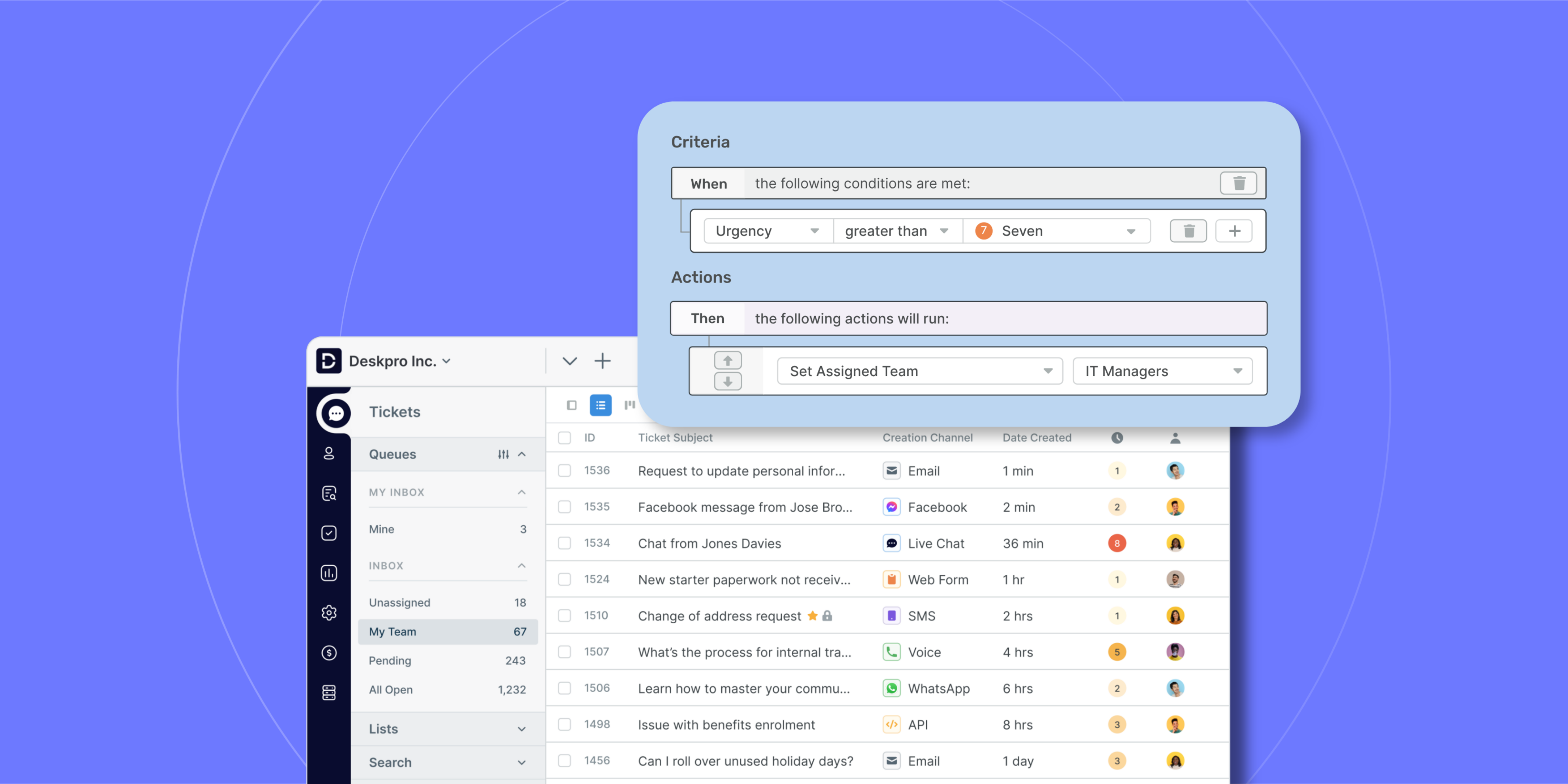
Set up routing rules, SLAs, triggers, escalations, and follow-ups to reduce manual work and give agents more time to spend their time on the tickets that need a person. Customize your automations to the ways your team works, with no plan-based limits on the number of automations you can build.

Learn more about automation

Integration with the tools you already use

Two Column - Integrations - Gov

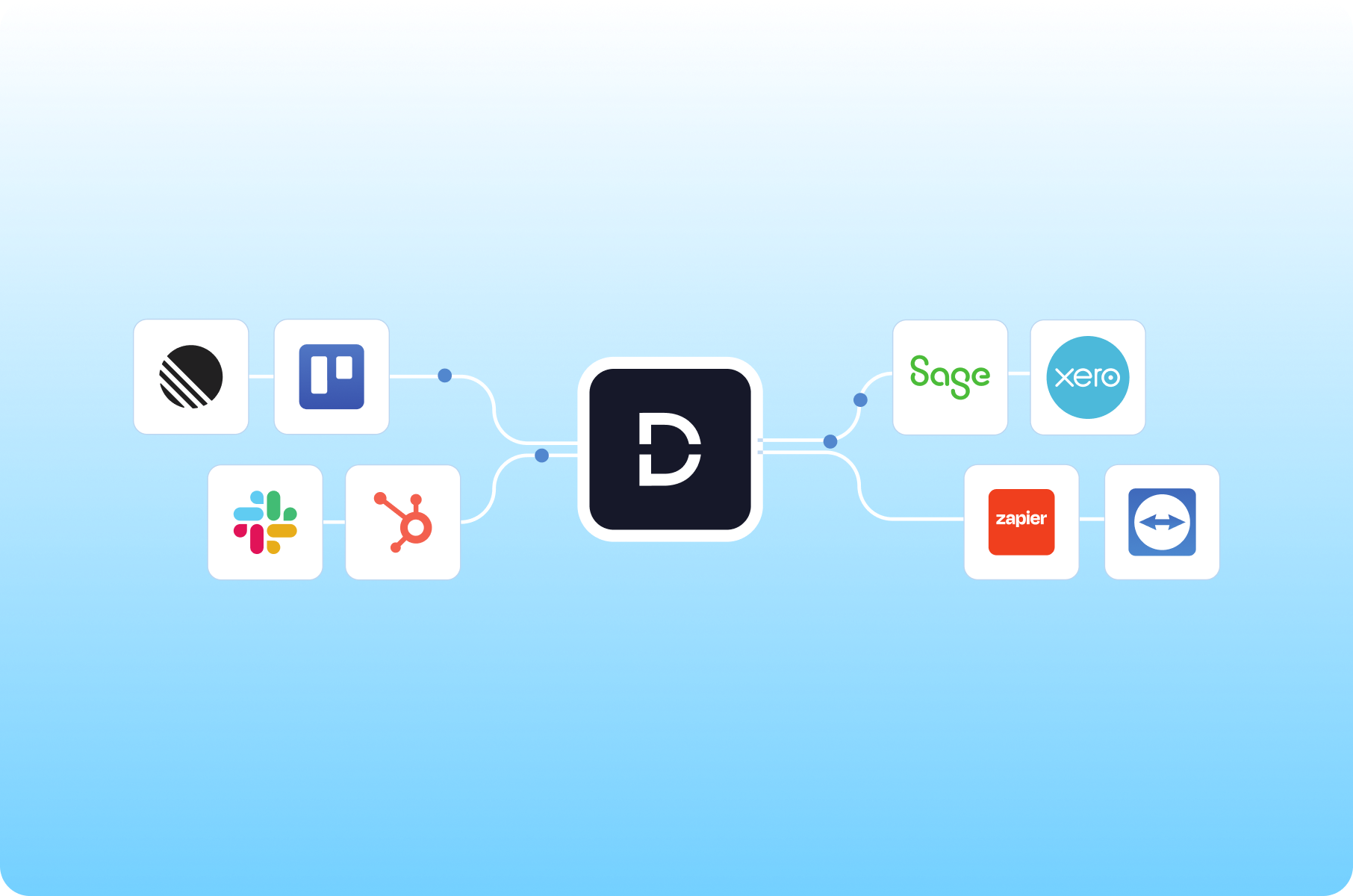
Connect Deskpro Cloud to your identity provider through SSO and Security Assertion Markup Language (SAML), sync contact data with your customer relationship management (CRM) system, and work alongside Slack and Microsoft Teams. Build custom workflows with the REST API, or use Zapier to connect Deskpro to thousands of apps without writing a line of code.

Learn more about integrations

Scale without infrastructure planning

Add agents, connect new support channels, or absorb a spike in ticket volume without forecasting server capacity or waiting on IT.


A new department can start working in Deskpro Cloud as soon as it's configured. Deskpro grows with you and gives you the freedom to change your workflows, AI model, or even deployment type as needed.

Frequently asked questions

What’s the difference between Deskpro Cloud and Deskpro Private?

Deskpro Cloud and Deskpro Private are the same help desk platform. The difference is who owns the infrastructure. With Cloud, Deskpro hosts, patches, monitors, and upgrades your help desk. With Private, you run Deskpro on your own servers, in a VPC, or in a sovereign cloud, and your team manages that environment.

Does Deskpro Cloud include the full feature set?

Yes. Deskpro Cloud includes every out-of-the-box Deskpro feature, from ticketing, automations, and SLAs to omnichannel support, reporting, and AI. There's no lighter cloud edition of the product. New features and upgrades roll out to your help desk automatically, so your team works on the current release without scheduling maintenance.

Who is responsible for security in a cloud deployment?

Security in Deskpro Cloud is shared. Deskpro manages infrastructure security, patching, and encryption at rest and in transit. Your team manages user access, SSO and RBAC configuration, and data governance policies such as retention. Deskpro's certifications, including ISO 27001 and SOC 2 Type II, give your security team documentation for vendor reviews.

Can we use AI features with Deskpro Cloud?

Yes. Deskpro Cloud includes the same AI features as Deskpro Private, including suggested replies, knowledge base article generation, and ticket summarization. You choose which AI features you want to use, with the option to connect your preferred AI model. If your policies require AI processing to stay inside infrastructure you control, Deskpro Private runs those features in your own environment.

Where is Deskpro Cloud hosted, and can we choose a region?

Deskpro Cloud runs on AWS in 34 global regions. You can choose from hosting locations in the US, UK, and EU on all cloud plans, with the option to choose any of the global data center locations on our Enterprise plan. If you need guaranteed data residency or a sovereign environment, Deskpro Private gives you full control over where data lives.

Can we move from Deskpro Cloud to Deskpro Private later?

Yes. Cloud and Private run the same platform, so moving between them doesn't mean switching help desks or retraining agents. Your workflows, automations, and configuration carry over. If your organization takes on new residency or compliance requirements, you can move to Private without starting over.