
Benefits of AI in HR: How AI is transforming people ops
Discover how AI is transforming HR teams, from automating repetitive requests to delivering faster, more consistent employee support at scale.

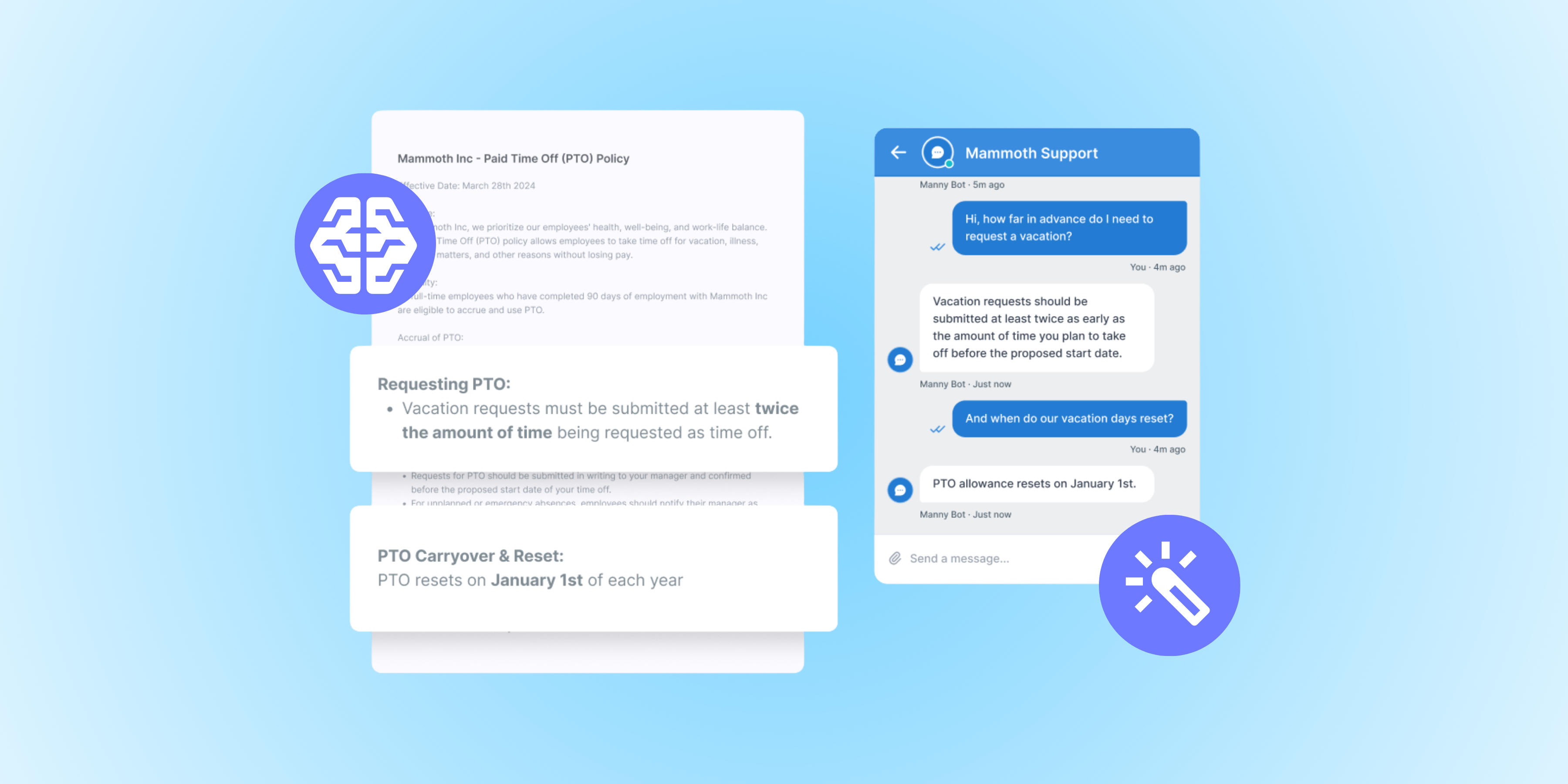
We’re willing to bet you didn’t get into HR to spend your workdays on administrative tasks. But that’s where the majority of time goes for HR professionals. Research shows HR professionals spend most of their time on administrative and compliance-related tasks, rather than on the more strategic employee experience work.
Often, HR serves as an internal help desk, fielding repetitive employee questions, routing requests to the right people, and managing internal tickets or cases. Much of this is work that you can automate with AI: in fact, Gartner estimates that 50% of current HR activities will be AI-automated by 2030. And when you reduce the time you spend on repetitive administrative tasks, you get more time back to focus on the strategic, human-centric work that likely drew you to HR in the first place.
That transformation isn’t going to happen overnight, but the shift is starting now, with Gartner’s research showing over 60% of HR leaders have already implemented GenAI in some capacity. In this article, we’re going to look at how HR teams are using AI today, what the benefits are, and how your team can get more time back for strategic work by implementing an AI-powered help desk.
What does AI actually do in HR?
If your understanding of the current AI landscape was based on industry headlines, you’d be forgiven for thinking the majority of your peers are already running fully autonomous AI agents at scale. But, as Hannah Scott, Deskpro’s VP of Sales and Customer Success, explained in a webinar on balancing CX with secure AI, most companies are taking a more measured approach, often testing out one or two internal use cases before scaling.
In HR, the AI that’s actually in use today falls broadly into two categories: human assistance and autonomous deflection.
AI that assists HR team members includes automatic ticket routing and classification based on topic, summarization of lengthy ticket threads, and suggested responses for routine queries. These are applications that help team members reduce their cognitive load, automate time-consuming manual tasks, and resolve employee requests faster.
AI that deflects includes chatbots, automated email responses, and smart content recommendations in your help center. These tools draw on existing approved content (help center articles, your employee handbook, resolved HR tickets, etc.) to respond to employees without human involvement. They’re best for handling predictable and straightforward requests like questions about benefits and payroll access.
Many HR teams start with AI assistant use cases, identifying one or two repetitive activities they want to automate and racking up quick wins. From there, they may begin piloting AI tools that deflect tickets (while still ensuring employees always have the option to speak to a human).
Key benefits of AI in HR
If you feel like your HR team is stretched thin, you’re not alone. SHRM’s State of the Workplace report found that 57% of HR departments lack sufficient staff to handle their workload. To meet this need to do more with less, 92% of CHROs anticipate AI will become more deeply embedded in their teams’ workflows this year.
When implemented thoughtfully, AI has the potential to make HR teams more efficient and deliver quality employee assistance at scale. Here are a few of the biggest benefits:
Deflecting repetitive requests
A huge portion of HR tickets are the same handful of questions asked over and over: "When does open enrollment start?" "How do I request PTO?" "What's our parental leave policy?" These are the kinds of questions an AI chatbot or self-service portal can resolve instantly, drawing on your existing help center, employee handbook, and resolved tickets. An AI deflection tool grounded in your company’s knowledge typically handles 30 to 50% of tier-1 employee requests without any HR involvement, depending on the quality of the content it has access to. That frees up your team to focus on the cases that truly need a human and gives employees fast responses to their straightforward questions.
Faster employee request resolution
Even when a ticket does need a human, AI can dramatically cut the time it takes to resolve it. Automatic ticket routing sends requests to the right person from the start, instead of bouncing them through inboxes. AI-generated summaries get team members up to speed on long threads in seconds, and suggested responses give them a strong starting draft for routine queries. The result is shorter resolution times and less cognitive load on your HR team. And from the employee's side, faster answers to questions about benefits, time off, or onboarding mean less time spent trying to track down information and more time spent on meaningful work.
Consistent, accurate answers at scale
One of the quieter risks in HR support is inconsistency. When the same policy question gets a different answer depending on who responds, you damage employee trust and create compliance risks. AI helps standardize responses by grounding every answer in the same approved content sources so the language about parental leave, expense reimbursement, or eligibility doesn't drift from one ticket to the next. That consistency matters most as your headcount grows and as institutional knowledge gets harder to pass around informally. It's also what makes audits and policy updates far less painful.
Reduced administrative burden on HR teams
Every minute spent triaging repetitive tickets is a minute not spent on the strategic work that draws most people to HR–building culture, supporting managers, and shaping the employee experience. By offloading tier-1 support to AI, your team gets time back for the work that actually requires human judgment: listening, problem-solving, and developing your people. It's also a more sustainable answer to the staffing pressure most HR teams are under right now. The teams that build this AI capability now will be the ones that scale alongside the business without having to scale headcount at the same pace.
Where AI has the most impact in HR operations
AI has the potential to improve operations for every HR function. Here are a few examples of the ways AI delivers clear value for HR teams:
- Onboarding. Gallup has consistently found that only about 12% of employees strongly agree their company does a great job onboarding new hires. AI can handle the repetitive parts–sharing welcome materials, handling FAQs, walking new employees through document collection, routing equipment provisioning requests–so your team can focus on the human side of welcoming a new hire.
- Benefits administration. Benefits questions spike during open enrollment and around life events, crowding out the higher-stakes work HR needs to be doing that same week. An AI chatbot can resolve the common "how do I add a dependent?" or "what does my plan cover?" questions instantly, while routing complex cases to a benefits specialist.
- Policy Q&A. Employees regularly ask about policies they could technically look up themselves. An AI assistant grounded in your employee handbook answers immediately in your approved language, so the same question doesn't generate the same ticket over and over.
- IT/HR hybrid support. Many employee requests don't sit neatly in "IT" or "HR"–new-hire system access, payroll logins, HRIS troubleshooting. A unified AI-powered help desk classifies and routes them intelligently across teams, so employees get answers without needing to know which team owns what.
- Employee offboarding. Offboarding is checklist-heavy and touches multiple departments. Behind the scenes, AI can orchestrate the workflow automatically, triggering the right tasks for IT, payroll, and HR, while a chatbot answers exiting employees' questions about COBRA, references, or final pay.
Interested in getting an estimate of the ROI your team could get with an AI help desk? Try our ROI calculator.
What to look for in an AI-powered HR help desk
If you’re trying to decide where to start implementing AI for your HR team, an AI help desk can be an impactful place to start (especially if you’re currently managing employee requests out of a chaotic shared inbox). Look for an AI help desk that provides:
- Ticket classification and routing. The ability to set up both rule-based and AI routing triggers so that as soon as an employee submits a new request, it gets turned into a ticket, categorized, and sent to the best person or team to address it.
- Omnichannel support. Employees should be able to choose whether they go the self-service route or reach out to a real person (with easy pathways to escalate from self-service to a human when necessary). Look for a help desk that brings employee requests from all your channels (emails, forms, Slack, Teams, etc.) into a single workspace.
- Knowledge base integration. You should be able to securely connect your company knowledge sources to help inform AI outputs–with controls in place to prevent your AI tools from sharing sensitive information with the wrong audience.
- Self-service portals. A customizable knowledge base or help center that employees can use to find answers to common questions. You should be able to embed an AI chatbot for additional employee assistance.
- Knowledge base article creation. An AI-powered help desk should let you automatically generate new knowledge base content based on successfully resolved tickets (while still having a human review and approve the output).
- Data privacy to meet your organization’s needs. With HR teams regularly handling sensitive employee information, it’s essential that you have a secure help desk. Look for platforms that provide granular user permissions so you can control who has access to what, as well as the compliance certifications your organization requires. If you’re in a regulated industry or region with data residency requirements, you may also need to look for a platform that can be deployed on-premise, or in a sovereign or regional private cloud.
How Deskpro uses AI to support HR teams
AI should enhance human-led employee support rather than eliminating humans from the equation, which is exactly the approach Deskpro takes.
Deskpro is a modern help desk platform built to keep humans at the heart of HR case management while enabling your team to support employees more effectively. We offer both agent productivity and self-service AI tools, combined with structured ticket management features, highly configurable automations, and a workspace that brings together requests from all your employee support channels.
Deskpro lets you choose the AI features that are most useful for your team and enable more as needed. You can use AI to:
- Route, tag, and prioritize requests based on intent and sentiment
- Automatically generate articles for your employee help center based on resolved tickets
- Get suggested responses that HR team members can edit and send
- Refine the tone, clarity, and structure of responses
- Summarize lengthy ticket threads
- Automatically close resolved tickets using thank you detection
- Power self-service with a chatbot that surfaces recommended content
We’ve also built our AI functionality with security in mind. Rather than locking you into a single model, we let you choose the LLM(s) you want to power our features. This means you can use a model that your security and compliance teams have already vetted, streamlining the procurement process (and allowing your company to get more out of a model you’ve already invested in).
If you work in a regulated industry or especially security-conscious organization, you also have the option to deploy Deskpro in a private environment (a VPC, private cloud, sovereign cloud, or on-premise) and use your own private AI models. This means sensitive data never leaves your security perimeter, keeping your organization in compliance and giving employees the confidence that their personal data will be protected.
Common concerns about AI in HR (and how to address them)
It’s reasonable to have reservations about introducing AI into work that involves sensitive employee data and high-trust interactions. The concerns we hear most often from HR teams revolve around inaccuracies in AI responses, data privacy, and over-automation.
The concern around inaccurate responses stems from the fact that AI models can hallucinate: in other words, produce responses that sound confident but aren’t factually accurate. You can combat this in a couple of ways. First, make sure your AI model is connected to your trusted HR knowledge sources, including employee handbooks, knowledge base content, and resolved tickets. This gives the model the context it needs to answer organization-specific questions, not just guess. Second, start with human-in-the-loop use cases to test the model’s accuracy. Train your team members to fact-check all outputs before sharing responses with employees.
Some teams also worry about data privacy because AI models must process data in an unencrypted form, increasing the risk of sensitive information exposure. Work closely with the software vendors you’re evaluating, as well as your own security and compliance team, to understand how they address this risk. In very strict security environments, the best solution may be to run AI in a private environment. In less highly regulated industries, working with vendors that set the right guardrails for your organization (e.g., PII redaction, a guarantee to never use your data for AI model training) may be enough.
Finally, there’s understandable concern about AI replacing human judgment in the HR field. Rather than trying to automate everything, focus on using AI to handle the most repetitive parts of HR (e.g., request routing, responding to FAQs) while keeping humans in the loop for anything involving nuance, empathy, or sensitive employee circumstances.
Each of these concerns is solvable with the right combination of platform controls and governance: clear policies on what AI can and can’t do, human oversight, and ongoing review of outputs.
Is your HR team ready for AI?
We often hear HR team leaders say that they’re being asked to look into AI to improve their efficiency but fear the process of rolling out AI-powered tools will be daunting. It doesn’t have to be.
AI readiness isn’t about having every process figured out. It’s about being willing to pilot AI on one or two high-volume use cases, keeping humans in the loop, and building from there. Deskpro’s AI capabilities are designed to support that kind of measured rollout, giving your team the tools to deflect repetitive requests, resolve cases faster, and protect the human judgment that’s essential in HR.
Want to see what Deskpro can do for your HR team? Book a demo or start a free trial now.