
Best help desk solutions for remote teams in 2026
Learn about the ticket ownership, collaboration, and automation capabilities that matter in help desk software for remote teams.

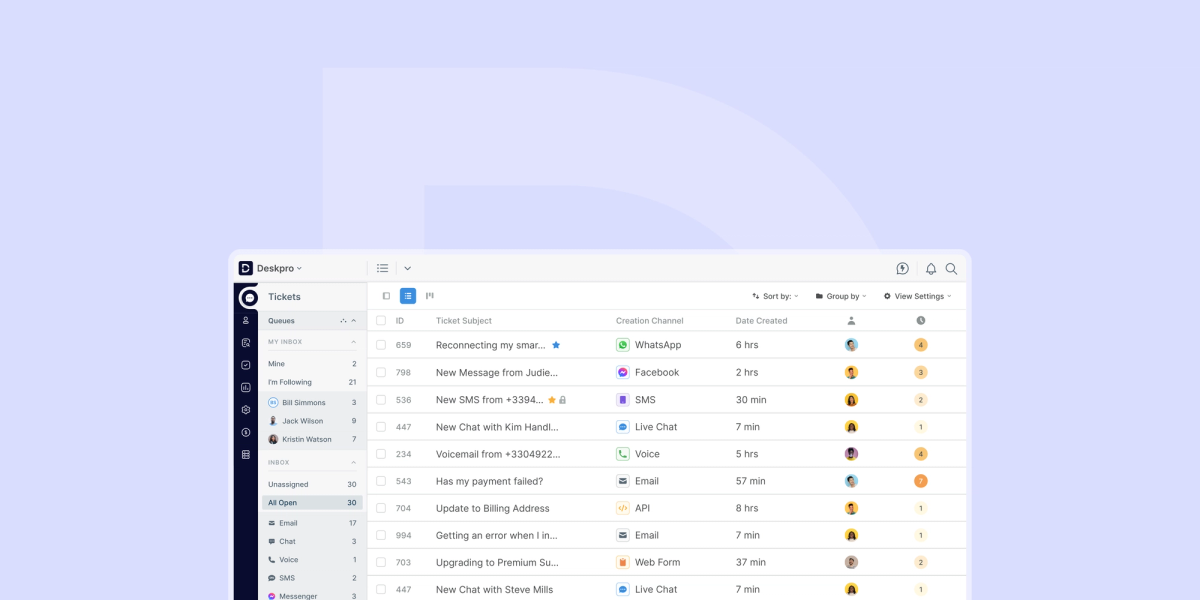
Remote work arrangements reached an all-time high during the covid pandemic and have tempered a bit due to return-to-office mandates, but a significant percentage of businesses are still treating remote and hybrid work as a long-term strategy. In the UK, 44% of workers reported working remotely some of the time in 2025. In the US, 52% of employees with remote-capable jobs reported working a hybrid schedule while 26% were exclusively remote.
While remote work reduces office real estate costs, opens up a global talent pool, and can improve retention, it also introduces new challenges for both internal and customer-facing support teams. Employees can’t just walk over to a team member’s desk when they need to collaborate on a ticket or flag down their manager when they have a question. Remote teams must have a tech stack that supports collaboration, work visibility, and security: and a good help desk is essential to that stack.
There are a lot of help desk solutions on the market, and it can be hard to know where to start when choosing a platform for your remote team. We’re going to cover what remote support teams should look for and how the leading help desk solutions compare.
What makes a help desk solution ideal for remote teams?
Small support teams often start with a shared inbox or a task management system with basic ticketing capabilities, but a full-featured help desk becomes a necessity for larger teams–especially those that are remote or distributed across multiple locations.
Remote teams need a platform that enables the clear assignment of support tickets so that no one duplicates work or skips over a ticket they think someone else is handling. Managers must be able to configure automated workflows and assign tickets to team members based on their bandwidth and time zone so customers or employees receive a fast response. And when tickets require multiple team members or departments to work together, the help desk needs to enable asynchronous, behind-the-scenes collaboration (something that becomes difficult if you’re working from a shared inbox and trying to bcc collaborators).
Additionally, remote support teams need a help desk they can access securely regardless of where they’re working. Team members should be able to take advantage of AI features without creating compliance and security risks, and managers should be able to set granular controls so each team member accesses only what they need.
Centralized visibility and ticket ownership
When you’re not in the same location as your support team members, you need another way to get visibility into what everyone is working on. The most straightforward way to do this is to assign ticket ownership within your help desk platform. In many help desk platforms, this can be done manually or through automated workflows, with workflows often being the preferred choice.
Customizable automated workflows make it possible to route tickets by factors like team members’ working hours, workload, department, support tier, or even customer intent, language, and sentiment. This ensures tickets go to the person or team best suited to resolve them, without having to wait for a manager to assign them.
For tickets that haven’t been assigned or have multiple collaborators, help desk software offers collision detection. For example, team members or managers might be able to lock in-progress tickets or see responses that others are currently typing so no one accidentally duplicates work.
Built-in collaboration for distributed teams
Omnichannel help desk software enables distributed teams to manage and collaborate on tickets from all support channels in a single workspace. Within that single workspace, a good help desk for distributed teams will include collaboration features like internal notes that can be appended to tickets (with the ability to tag and alert specific agents), internal chat functionality, the ability to assign multiple collaborators to tickets as needed, and structured escalation processes so a manager can jump in when a team member needs assistance.
Security and access control across locations
Secure remote access is another non-negotiable aspect of a help desk for distributed teams. Employees should be able to view the tickets and information they need to do their job without accessing sensitive data that they don’t have permission to view. Additionally, security and compliance teams must be assured that the help desk provider meets their organization’s and industry’s requirements for data privacy. Given that 78% of organizations involve their IT or security team in the final decision-making process for support software, the security capabilities of a help desk can’t be overlooked.
Key features to look for in the best help desk solutions for remote teams
As you begin evaluating help desk solutions for your remote team, you’ll likely want to look for features including:
- Omnichannel support. A single ticketing system for all support channels you’re using, including email, chat, SMS, social media, and/or internal messaging apps (including Slack and Microsoft Teams ticketing).
- Automated ticket routing and workflows. Rule-based and AI-powered workflows that let you route tickets to the most appropriate person or team.
- SLA management. Structured tracking of your SLAs, with the ability to trigger alerts or escalate tickets with approaching deadlines.
- Collision detection. The ability to detect when a team member is working on a ticket and prevent other team members from duplicating their work.
- Self-service help center. A customizable knowledge base that answers FAQs, giving employees or customers a place to look for answers before raising a ticket.
- Role-based permissions. Granular permission controls that let you give team members and departments access to only what they need in the help desk.
- Performance reporting. Reporting on agent and team performance metrics like SLA attainment, average first response time, and average resolution time.
- AI assistance. Features like intelligent routing, ticket summarization, suggested replies, and auto-generated knowledge base articles help remote teams work more efficiently and resolve employee or customer issues faster.
- Flexible deployment options. The ability to deploy a cloud-based help desk or host in a private cloud, sovereign cloud, or in your own data center (with remote employees connecting via VPN) depending on your organization’s compliance requirements.
Best help desk solutions for remote teams in 2026 (compared)
It can be tough to know where to start when looking for a help desk for your support team, especially if you’re moving from a shared inbox to a help desk for the first time. Below, we provide overviews of four leading help desk solutions and their strengths for remote teams.
Deskpro
Deskpro is a scalable help desk platform that lets support teams work collaboratively and efficiently from anywhere. Customers frequently cite the platform’s highly customizable automated workflows as a strength: teams can configure ticket routing, escalations, and other rule-based or AI triggers to align with their way of working. Additionally, pre-built integrations and feature-rich APIs make it easy to connect Deskpro to other business software, such as a project management platform a company’s engineering team is using, so that tickets automatically update based on actions in the connected platform and multiple remote departments stay aligned.
Deskpro also stands out for its flexible deployment options. Companies can choose Deskpro Cloud, a SaaS offering, or Deskpro Private, which can be deployed in a virtual private cloud, sovereign cloud, or self-hosted data center. Companies can also choose to use Deskpro’s default AI model provider (OpenAI) or bring their own AI, allowing them to choose a model that may already be used in other departments and has been vetted by their security team. This level of flexibility makes Deskpro a strong choice for global companies with distributed employees and remote-first companies with strict data governance requirements.
Zendesk
Zendesk offers a widely-used cloud-based customer support platform known for its user-friendly omnichannel workplace, large marketplace of integrations, and strong automation capabilities. They also offer an employee support platform, but this must be purchased separately and cannot be combined into a single instance with customer support.
Zendesk provides good scalability for growing remote teams, with a customer base ranging from small startups to major global enterprises. It offers a wealth of ticketing and workforce management features, which can be both a pro and con. While there’s a lot remote teams can do in Zendesk to stay aligned and work collaboratively, there can also be a learning curve, with advanced customization becoming complex. Costs also increase quickly with add-ons, with the price tag potentially turning off some budget-conscious organizations.
Freshdesk
Freshdesk is a cloud-based help desk solution popular among SMBs and mid-sized businesses for its affordability and feature set. Elements that are particularly useful for remote workers include a mobile app that lets agents respond to tickets on the go and a user-friendly interface and setup that require minimal IT assistance. Freshdesk also offers competitive pricing and a free tier, making it an appealing choice for smaller remote teams.
Some reviewers note that Freshdesk’s integration capabilities feel limited compared to competitors, potentially making it more challenging to build workflows across other systems remote teams use. Another common piece of feedback from reviewers is that advanced reporting often requires exporting reports and applying manual effort, adding to the difficulty of monitoring remote team performance.
Jira Service Management
Jira Service Management is an IT-focused service desk solution best-suited for technical teams, including IT teams supporting remote employees. It’s deeply integrated with the Atlassian suite, including Confluence and Jira (its project management platform), making it a potentially good fit for remote companies where developers and support staff need tight alignment. It also receives high marks with its customers for its enterprise-grade security and access controls, though notably, Atlassian is sunsetting its on-premise option starting in March 2026, which may be a limitation for teams with strict data governance requirements.
Jira Service Management may also feel complex for non-technical support teams and is not as good of a fit for customer support use cases.
Why Deskpro is a great help desk solution for remote teams
Deskpro addresses the most common operational challenges remote support teams face: lack of in-person visibility, inconsistencies in ticket handling across locations, and managing data security with employees accessing the tech stack from home.
Deskpro's dashboards and custom reporting give you full visibility into ticket queues, agent workloads, and SLA performance regardless of where your team members are working, while granular role-based permissions and the potential for private cloud or on-premise deployment keep sensitive data under your organization’s control.
The ability to create saved conversation snippets and a customized, multilingual help center gives support teams a shared, centralized reference for their responses—and when AI is enabled, response suggestions draw on that same approved content, so quality stays high no matter where a ticket is handled.
Deskpro provides a wealth of additional features to support remote teams, including:
- One omnichannel workspace across email, chat, voice, SMS, and messaging systems
- Centralized ticket management with clear ownership and collision detection
- Rule-based and AI-powered ticket triage and other automated workflows
- Collaboration tools, including internal notes, instant messaging, and @mentions
- Customizable dashboards and reporting
- Enterprise-ready security
- Granular role-based permissions
- Flexible deployment models
How to choose the right remote help desk solution for your team
There’s no one help desk solution that’s right for everyone: the best fit for your remote team will depend on a number of factors. Before choosing a platform, you’ll need to think about:
- Your team size and growth plans. The right fit for a 3-person support team isn’t necessarily going to be the same as for an enterprise team. At the same time, you’ll want to think about whether your chosen help desk will be able to scale with you if and when your team grows–without requiring a bunch of costly add-ons.
- Omnichannel requirements. What support channels does your team currently use? You’ll want to choose a platform that easily integrates with those channels to avoid a complicated and time-consuming setup.
- Collaboration features. How does the platform handle and promote asynchronous collaboration?
- Reporting capabilities. You and your leadership team need visibility into how your remote support team is performing, including its SLA attainment and workload management. Easy-to-read, customizable dashboards will help you report on your team’s performance and identify team members who may need additional support.
- Security and compliance. What security and data governance requirements does your help desk need to meet? Do you need to comply with GDPR or sovereign data laws in any of the regions where you do business? Bring your compliance and security teams into the decision-making process to ensure your preferred solution meets your organization’s needs.
Final thoughts: Choosing the best help desk solution for your remote team
Distributed teams need structure, visibility, and security controls to operate confidently across locations. Not every help desk is built with remote teams in mind: the ones that work best are designed to handle asynchronous collaboration, automated workflows, and compliance requirements from the start, regardless of team size or location. The right platform for your business should give your team the tools to stay aligned and deliver consistent support without requiring costly add-ons or a platform change as your needs evolve.
If you're evaluating help desks for your remote or distributed team, Deskpro is worth a close look. Book a demo to see how it can work for your team.