
Knowledge is power: Your help desk tickets should inform your AI
Planning to use AI for customer or employee support? You won’t get far without grounding your AI in your organization’s knowledge.

When you get started with any large language model (LLM), you’re using an AI model that’s been trained on massive public data sets—but not your organization’s policies, processes, product information, or approved responses. That means the LLM can’t answer organization-specific questions that require information outside of its training data. Your support team might be able to use it for tasks like summarizing tickets and analyzing sentiment, but it couldn’t effectively power a customer-facing chatbot or help human agents answer business-specific questions.
So how do you turn an LLM into an expert on your organization? It’s all about grounding the AI in your knowledge using a process called retrieval-augmented generation (RAG). This process enables your AI model to pull from your organization’s trusted knowledge sources and use that information to generate its responses.
Help center and knowledge base articles are a common starting point for support teams that want to ground AI in their knowledge. However, support tickets are another rich source of knowledge that shouldn’t be overlooked. They’re also a more accessible starting point for some teams–not every support organization has a deep library of up-to-date help center articles, but every team that has a help desk has support tickets.
Of course, tickets may also contain personally identifiable information (PII), making them a more sensitive data source than help center articles. Your business can’t afford to leak PII in customer-facing AI-generated responses, which means you’ll need to take some precautions before indexing your tickets with your LLM.
Below, we’ll take a closer look at how ticket indexation with AI works and how you can use tickets as a knowledge source without compromising sensitive data.
How does ticket indexation with AI work?
To explain how AI can use help desk tickets as a knowledge source, we have to go back to the concept of RAG.
RAG allows you to index different content types-–including help center articles, policy documents, technical guides, and tickets-–with your LLM. You’re not retraining the model (you can’t alter the data the model was trained on). Instead, you’re giving the model additional context about your business.
When someone prompts an AI support platform with a question or request (e.g., What’s our policy for accepting damaged returns?), the platform doesn’t just pass the request directly to the LLM. First, it searches your connected knowledge sources and retrieves the passages most relevant to the request. The LLM then processes those passages alongside the original request, giving it the specific context it needs to generate a relevant answer.
Here’s an example of how that might look with tickets as a connected knowledge source:
A faculty member submits a ticket to their university help desk about a laptop that was delivered to them with a cracked screen. This issue hasn’t come up enough for the support team to have a saved macro (pre-written response) they can use in the reply. However, the issue came up a few months ago, and a support agent successfully resolved it by walking the faculty member through the steps to replace the laptop. With tickets configured as an AI knowledge source in the university’s help desk, the AI agent assistant could retrieve information from that resolved ticket and use it to generate a suggested reply to the open ticket.
How can support teams use AI that’s grounded in their tickets?
Support AI that’s grounded in ticket histories can power human-in-the-loop use cases, such as suggesting responses for human agent use and generating new knowledge base articles. These knowledge base articles can also support external AI use cases, such as a customer-facing chatbot. However, it’s always best to start with internal use cases and have humans review all content before publishing.
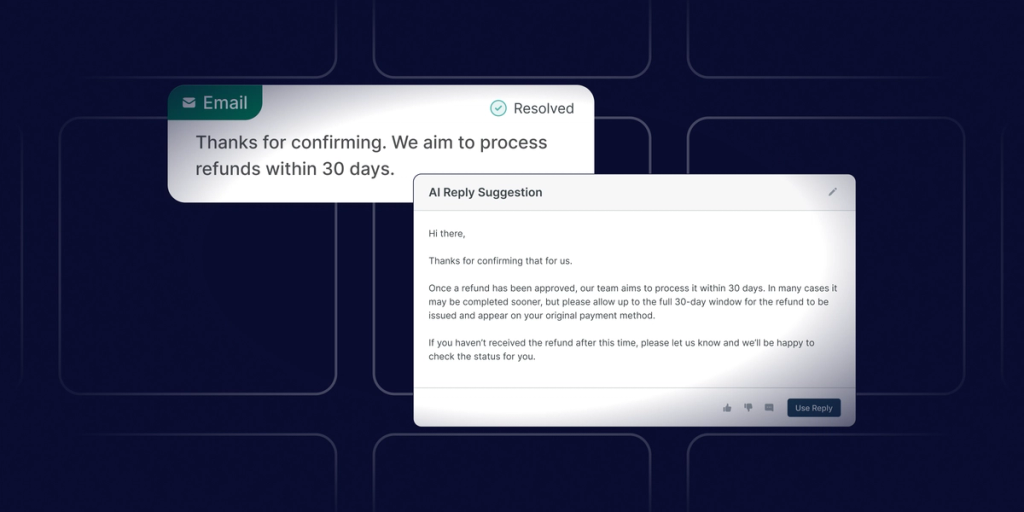
AI suggested responses are a great use case to pilot first. Your support agents can get recommended responses to open tickets directly in their help desk interface, giving them the opportunity to review and edit the content before replying to the customer. This keeps a human in the loop, which reduces the likelihood of inaccurate or sensitive information getting in front of a customer while still saving the agent time by drawing on information from successfully resolved tickets.
Generating knowledge base articles is another great internal use case. When a human agent provides a detailed response to a question that hasn’t been answered in the organization’s knowledge base, their AI agent assistant can use that information to create a structured, polished knowledge base article. Just like with suggested responses, the human agent then has the chance to review and edit the output before publishing. This allows your support team to grow your knowledge base efficiently, improve the self-service experience, and reduce future tickets.
Once you’re successfully generating knowledge base articles from ticket content, you can use these articles as another data source for a customer-facing chatbot. This gives your chatbot a trusted, human-vetted knowledge source, enabling it to respond to a wide range of previously answered questions, provide your customers with 24/7 support, and deflect straightforward tickets from your human agents. However, you’ll need to configure your chatbot with strict guidelines around what questions it can answer and what it should escalate to a human agent.
How can support teams protect sensitive information when using tickets as an AI source?
The idea of tickets as an AI knowledge source is likely to raise a reasonable (but addressable) question for support and security teams: How do you prevent your LLM from generating a response that contains sensitive information from a resolved ticket, such as a customer’s login credentials or credit card number?
This risk is why it’s essential to use an AI tool with PII redaction.
With PII redaction, your help desk indexes your resolved ticket content but strips out all personal identifying information before sending that content to the LLM for processing. The original ticket data remains untouched–only the version sent to the LLM has the sensitive data removed, ensuring that data won’t appear in the outputs the LLM generates.
In addition to using PII redaction, it’s important to configure additional controls and permissions that make sense for your business. This might include configuring rules to:
- Only use tickets that are accessible to a specific agent (e.g., within their department or line of business) to generate suggested responses for that agent.
- Let agents and managers manually prevent a ticket from being indexed by AI (e.g., for highly sensitive or low-quality tickets).
- Only index resolved tickets from within a specific timeframe (e.g., the last three months).
By configuring your AI capabilities with the proper guardrails, testing internal use cases first, and keeping humans in the loop, you can turn your ticket content into a powerful and secure knowledge source.
Deflecting the repetitive, elevating agents, and improving CX
As support teams advance their AI maturity, it’s become clear that the ability to ground AI in organizational knowledge is non-negotiable. It’s this grounding that enables AI to generate responses that accurately represent your business, rather than generic responses that don’t help your support agents or customers. And by grounding your AI in your resolved ticket history specifically, you’re showing it what success looks like and allowing it to handle the questions your support team gets on repeat.
As you ramp up with grounded AI, your customers will benefit from fast, accurate service, and support agents will have more time to spend on issues that require a human touch.