
Your chatbot is only as good as what it knows: Why grounded AI matters in support
If you haven’t rolled out AI in your customer support organization yet, it’s likely only a matter of time. Recent research shows that the majority of support organizations are already using AI in some capacity, though most are still in the planning and pilot stages. And 91% of customer support leaders say they’re under pressure from their executive team to implement AI in 2026.

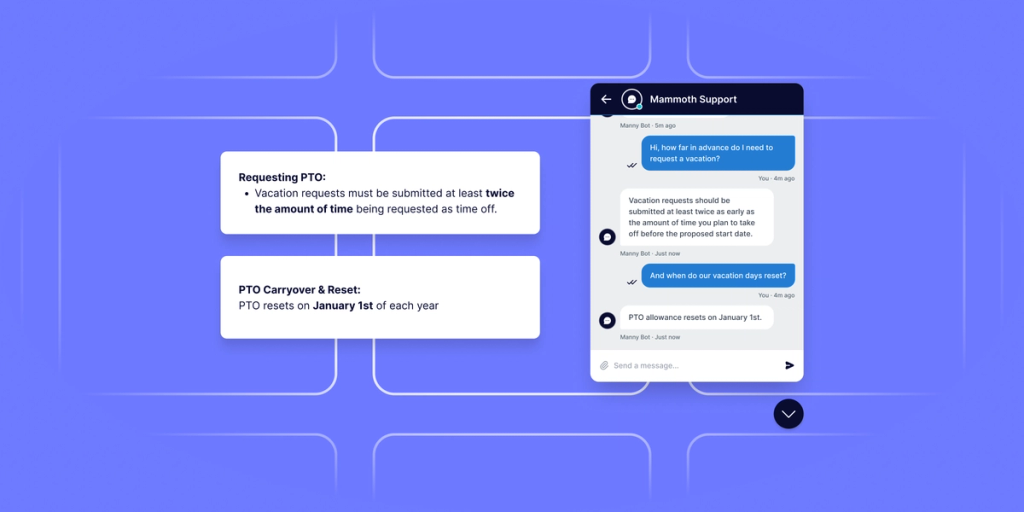
AI chatbots are a common starting place due to the potential for immediate cost-saving and customer experience benefits. AI chatbots can understand natural language inputs and respond conversationally, making them much more versatile than rule-based chatbots. They can be highly effective at resolving common issues and answering FAQs, giving customers a low-effort self-service option and freeing up human agents to focus on complex issues and edge cases. They also enable businesses to provide 24/7 customer support in multiple languages without having to increase their headcount.
However, for all the potential of AI chatbots, there’s also a lot that can go wrong. If your chatbot doesn’t have access to the right organizational knowledge, it will only be able to draw on its training data from the internet and other public sources. This means it may be unable to answer questions specific to your business, or worse, that it will confidently provide customers with inaccurate information.
Before you launch an AI chatbot for your business, it’s important to understand the basics of generative AI, how you can connect internal knowledge sources to your chatbot, and how you can protect sensitive data from potential exposure.
How Do GenAI Chatbots Work?
AI chatbots are powered by large language models (LLMs)--the technology behind products like OpenAI’s ChatGPT and Anthropic’s Claude. LLMs are trained on massive data sets drawn from the internet, books, and other text sources, and are designed to generate relevant responses to text-based prompts. Essentially, they predict the most likely next word in a sequence based on patterns from their training data. This makes them useful for tasks like summarizing content, conducting online research, and analyzing sentiment.
While there’s a lot that LLMs can do, they don’t have built-in knowledge of your business, products, policies, or customers. That means if you don’t connect your organization’s knowledge sources, such as help center articles, knowledge base content, and technical manuals, your chatbot won’t have the knowledge required to answer specific questions relating to them..
So what happens if your chatbot can’t answer a question? The best case scenario is that it tells the customer it doesn’t know the answer and escalates them to a live agent. The worst case scenario is that it makes up an answer based on patterns in its training data, potentially causing customers to make a misinformed decision and damaging their trust in your business.
That best case scenario can only happen with careful configuration. You have to give the LLM specific instructions to only share answers based on the context you’ve provided, and to route the customer to a live agent if no relevant context is available. Without those guardrails, the LLM may hallucinate, giving the customer a plausible-sounding answer that isn’t grounded in reality.
We’ve already seen high-profile incidents where misinformation from an AI chatbot harmed customers and businesses. An Air Canada customer famously sued the airline–and won–after a chatbot gave him inaccurate information about a bereavement fare discount. New York City launched a chatbot intended to help small business owners navigate local regulations, only to find the bot could be prompted to recommend illegal behaviors, such as taking a cut of workers’ tips.
To prevent your chatbot from hallucinating–and to ensure it can be as effective as possible without escalation–you need to ground it in your organization’s knowledge.
What Does It Mean To Ground AI in Your Knowledge?
Grounding AI in your organization’s knowledge involves indexing relevant data sources, such as policy documentation, help center articles, and product guides, to your help desk or customer support platform so your chatbot has the context it needs to answer customer questions. This approach is known as retrieval-augmented generation (RAG), and it’s what drives information retrieval for most modern AI chatbots built for customer support.
Here's how RAG works in practice. When a customer submits a question to your chatbot, the system doesn't just pass that question directly to the LLM. First, it searches your connected knowledge sources and retrieves the passages most relevant to what the customer is asking. The LLM then uses those passages alongside the customer's question as the basis for its response, allowing it to generate business-specific and context-aware answers.
The more relevant data sources you index, the better your chatbot will be at answering customer questions. That means fewer escalations and greater customer satisfaction as customers resolve their issues through a single channel. It also means more tickets deflected, reducing your operating costs and freeing up your human agents to focus on higher-value work.
Protecting Your Data When Grounding Your Knowledge
While it’s possible to get an AI chatbot running with only public-facing content, such as knowledge base articles and FAQs from your website, your organization may also decide to index internal content, such as pricing guidelines, ticket histories, and runbooks, to make the chatbot more capable. You may also integrate your chatbot with systems that include customer data, such as your help desk and CRM. And while this can improve chatbot performance, it also increases the risk of sensitive data exposure.
One of the biggest risks is prompt injection: when a bad actor crafts a prompt designed to get a chatbot to ignore previous instructions and reveal sensitive information, such as your customers’ PII or your organization’s intellectual property.
Fortunately, LLM products and chatbot providers offer security guardrails to reduce the risk of prompt injection and other data breaches. LLM providers implement safeguards against jailbreaking and train their models to resist specific types of manipulation. Chatbot providers (often help desk or CCaaS companies) are responsible for building safety mechanisms into their platforms so users can control who has access to public, internal, and confidential data. However, your organization still needs to take appropriate precautions, especially if you’re in a regulated industry.
Before choosing an AI chatbot provider, you’ll need to work with your security and compliance teams to vet vendors and put the right infrastructure in place to protect your data. A couple of key things to consider include your AI model and deployment type.
AI Model
When evaluating vendors, pay attention to the AI model they’re using to power their chatbot offering–and whether they allow you to integrate your AI model of choice. If your security team has already vetted an AI model that is being used across other parts of the organization, it’s a governance advantage to use that same model with your chatbot. Being able to choose your own model also keeps you from being locked into the vendor’s choice, giving you the freedom to change models as needed.
Deployment Type
The majority of organizations–about 80%–can meet their organization’s compliance requirements with a public cloud deployment for their AI chatbot (i.e., the chatbot sends data to public cloud foundation models and data processing happens outside the organization). But for organizations in highly regulated industries, such as financial services and those running a healthcare help desk, a public cloud deployment–even with strict security guardrails in place–represents too big of a risk.
If you’re in a regulated industry, you may need to deploy your chatbot solution in a virtual private cloud (VPC): an isolated private network set up within a public cloud provider’s infrastructure. With VPCs, you can transmit data via encrypted links, dramatically reducing the risk of prompt injection.
If your organization has data that must stay within a specific country or region, you would want to look for a chatbot that could be deployed in a sovereign cloud. This means data is only transmitted to and processed within data centers in a defined region, allowing you to satisfy data governance requirements.
A very small percentage of organizations will need an on-premise deployment, which means their data stays within their data center. This can either be fully managed by the organization or managed by one of the major hyperscalers through their local, private deployment options: AWS Outposts, Microsoft Azure Local, and Google Distributed Cloud. Data never leaves their approved security perimeter, significantly reducing the risk of sensitive data exposure and satisfying strict security requirements.
When choosing an AI chatbot, whether it’s part of a help desk or other customer support platform, look for a provider that offers flexibility in deployment model so you can choose the level of security that’s right for your organization.
Moving Your AI Chatbot Project Forward
The organizations that will get the most out of AI help desk software aren't necessarily the ones that move fastest—they're the ones that build the right foundations. That means connecting your chatbot to the knowledge sources that make it genuinely useful, putting the right security guardrails in place before you scale, and choosing a platform that gives you control over the AI models and deployment infrastructure. Get those foundations right, and your chatbot becomes a real asset: one that resolves customer issues accurately, protects sensitive data, and frees your human agents to focus on the work that actually requires a human.